
Expert Guide to Creating WordPress Custom Taxonomies in 2025
 jackober
April 9, 2025 12:06 am
.
29 min read
jackober
April 9, 2025 12:06 am
.
29 min read
As a professional WordPress developer, I’ve implemented countless custom taxonomies for clients across various industries. Custom taxonomies are one of WordPress’s most powerful yet underutilized features, allowing you to create sophisticated content organization systems tailored to your specific needs.
In this expert guide, I’ll walk you through everything you need to know about WordPress custom taxonomies – from basic concepts to advanced implementation techniques that will transform how you organize and present your content.
Understanding WordPress Taxonomies: The Foundation
Before diving into custom taxonomies, it’s essential to understand what taxonomies are in the WordPress ecosystem.
What Are WordPress Taxonomies?
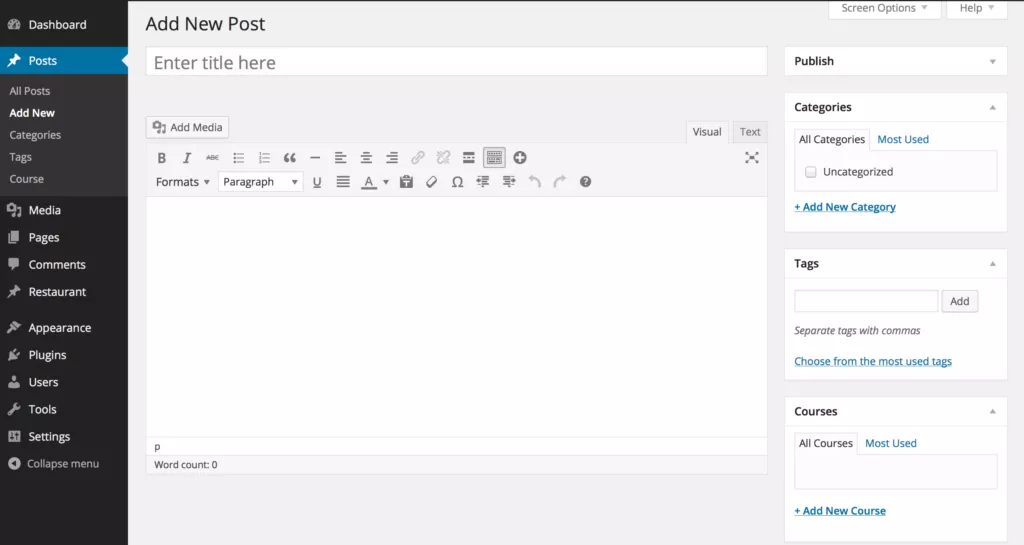
In WordPress, taxonomies are ways to group and classify content. They provide a structured method for organizing posts or custom post types based on their relationships and characteristics.
WordPress comes with two default taxonomies:
- Categories: Hierarchical groupings (can have parent-child relationships)
- Tags: Non-hierarchical labels (flat structure with no parent-child relationships)
These default taxonomies work well for basic blogs, but they’re limited when you need more specialized content organization.
Why Create Custom Taxonomies?
Custom taxonomies unlock powerful content organization capabilities:
- Specialized Classification: Create topic-specific grouping systems tailored to your content
- Enhanced User Experience: Provide intuitive navigation paths for visitors
- Improved Content Discovery: Make related content more accessible
- Better SEO: Create topic clusters that search engines recognize as authoritative content groupings
- Advanced Filtering: Enable multi-faceted content filtering on the frontend
- Custom Admin Organization: Streamline content management in the WordPress dashboard
For example, a recipe website might use custom taxonomies for:
- Meal types (breakfast, lunch, dinner)
- Cuisine styles (Italian, Thai, Mexican)
- Dietary restrictions (vegetarian, gluten-free, keto)
- Cooking methods (baking, grilling, slow-cooker)
Each of these would be difficult to implement effectively using just categories and tags.
Planning Your Custom Taxonomy Strategy
Before writing a single line of code, it’s crucial to plan your taxonomy structure carefully.
Hierarchical vs. Non-Hierarchical Taxonomies
The first decision is whether your taxonomy should be hierarchical (like categories) or non-hierarchical (like tags):
Hierarchical Taxonomies:
- Support parent-child relationships
- Display as checkboxes in the admin interface
- Better for broad classifications with sub-classifications
- Example: Product categories in an e-commerce WordPress store
Non-Hierarchical Taxonomies:
- Flat structure with no parent-child relationships
- Display as a tag input field in the admin interface
- Better for specific attributes or characteristics
- Example: Product features or specifications
Taxonomy Naming Conventions
Choosing the right names for your taxonomies is crucial for both usability and code clarity:
- Singular and Plural Names: Define both forms (e.g., “Genre” and “Genres”)
- Slug Considerations: Choose URL-friendly slugs (e.g., “movie-genre”)
- Namespace Prefixing: Consider adding a prefix to avoid conflicts (e.g., “jkb_movie_genre”)
- Consistency: Maintain naming consistency across your taxonomies
Planning Taxonomy Relationships
Determine which post types your taxonomy will apply to:
- Single post type: Taxonomy applies to only one post type
- Multiple post types: Taxonomy applies to several post types
- Global taxonomies: Taxonomy applies to all content types
For example, a “Location” taxonomy might apply to multiple post types like “Events,” “Team Members,” and “Office Locations.”
Creating Basic Custom Taxonomies in WordPress
Let’s start with the fundamental methods for creating custom taxonomies.
Method 1: Creating Custom Taxonomies with Code
The most flexible way to create custom taxonomies is through code. Add this to your theme’s functions.php file or, preferably, to a custom plugin:
// Register Custom Taxonomy
function create_genre_taxonomy() {
    // Labels for the taxonomy
    $labels = array(
        'name'                       => _x( 'Genres', 'Taxonomy General Name', 'text_domain' ),
        'singular_name'              => _x( 'Genre', 'Taxonomy Singular Name', 'text_domain' ),
        'menu_name'                  => __( 'Genres', 'text_domain' ),
        'all_items'                  => __( 'All Genres', 'text_domain' ),
        'parent_item'                => __( 'Parent Genre', 'text_domain' ),
        'parent_item_colon'          => __( 'Parent Genre:', 'text_domain' ),
        'new_item_name'              => __( 'New Genre Name', 'text_domain' ),
        'add_new_item'               => __( 'Add New Genre', 'text_domain' ),
        'edit_item'                  => __( 'Edit Genre', 'text_domain' ),
        'update_item'                => __( 'Update Genre', 'text_domain' ),
        'view_item'                  => __( 'View Genre', 'text_domain' ),
        'separate_items_with_commas' => __( 'Separate genres with commas', 'text_domain' ),
        'add_or_remove_items'        => __( 'Add or remove genres', 'text_domain' ),
        'choose_from_most_used'      => __( 'Choose from the most used', 'text_domain' ),
        'popular_items'              => __( 'Popular Genres', 'text_domain' ),
        'search_items'               => __( 'Search Genres', 'text_domain' ),
        'not_found'                  => __( 'Not Found', 'text_domain' ),
        'no_terms'                   => __( 'No genres', 'text_domain' ),
        'items_list'                 => __( 'Genres list', 'text_domain' ),
        'items_list_navigation'      => __( 'Genres list navigation', 'text_domain' ),
    );

    // Arguments for the taxonomy
    $args = array(
        'labels'                     => $labels,
        'hierarchical'               => true, // true = like categories, false = like tags
        'public'                     => true,
        'show_ui'                    => true,
        'show_admin_column'          => true,
        'show_in_nav_menus'          => true,
        'show_tagcloud'              => true,
        'show_in_rest'               => true, // Enable Gutenberg editor support
    );

    // Register the taxonomy
    register_taxonomy( 'genre', array( 'post', 'movie' ), $args );
}
add_action( 'init', 'create_genre_taxonomy', 0 );
This code creates a hierarchical “Genre” taxonomy that applies to both standard posts and a custom “movie” post type (assuming you’ve already created it).
Method 2: Using Plugins for Custom Taxonomies
If you prefer a no-code approach, several plugins make creating custom taxonomies straightforward:
Custom Post Type UI (CPTUI)
This popular plugin provides a user-friendly interface for creating both custom post types and taxonomies:
- Install and activate the Custom Post Type UI plugin
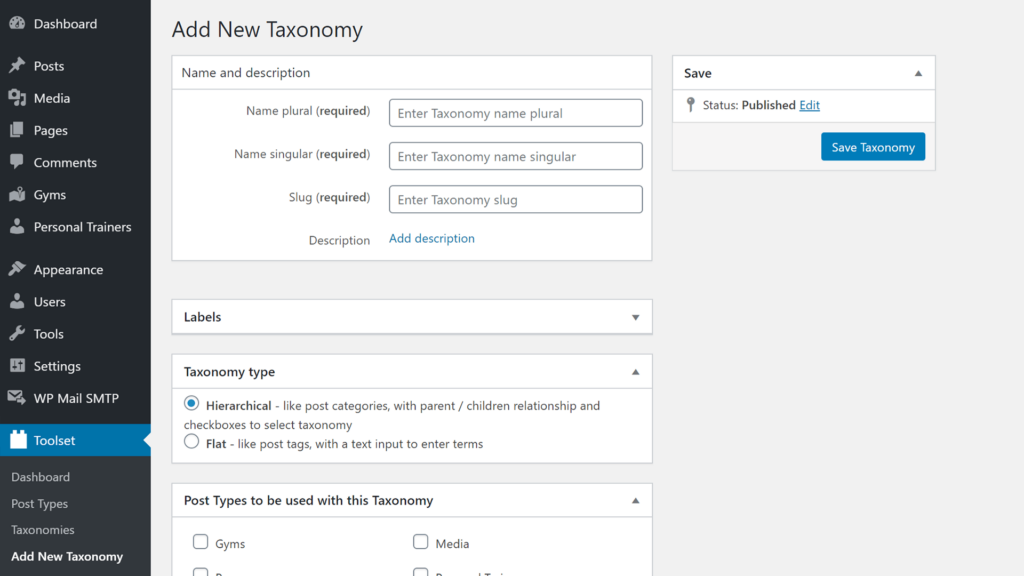
- Navigate to CPT UI → Add/Edit Taxonomies
- Fill in the taxonomy settings (name, slug, post types, etc.)
- Save the taxonomy
Pods Framework
Pods offers a more comprehensive approach to custom content types:
- Install and activate the Pods Framework
- Go to Pods Admin → Add New
- Choose “Create New” and select “Taxonomy”
- Configure your taxonomy settings
- Save your new taxonomy
Toolset Types
Part of the Toolset suite, Types provides powerful tools for custom taxonomies:
- Install and activate Toolset Types
- Navigate to Toolset → Taxonomies
- Click “Add New”
- Configure your taxonomy settings
- Save the taxonomy
While plugins offer convenience, I generally recommend the code approach for several reasons:
- Better performance (no plugin overhead)
- No dependency on third-party plugins
- Full control over all taxonomy parameters
- Easier version control and migration
However, plugins are perfectly suitable for simpler sites or if you’re not comfortable with code.
Understanding Key Taxonomy Parameters
When creating custom taxonomies, several parameters significantly impact functionality:
Essential Arguments for register_taxonomy()
$args = array(
    'hierarchical'               => true,    // Category-like (true) or tag-like (false)
    'public'                     => true,    // Makes taxonomy visible to users
    'show_ui'                    => true,    // Shows admin UI
    'show_admin_column'          => true,    // Adds a column to admin list table
    'show_in_nav_menus'          => true,    // Makes available for navigation menus
    'show_tagcloud'              => true,    // Available in tag cloud widget
    'show_in_rest'               => true,    // Enables Gutenberg/block editor support
    'query_var'                  => true,    // Enables querying by taxonomy
    'rewrite'                    => array(   // Controls URL rewriting
        'slug'                   => 'genre',
        'with_front'             => true,
        'hierarchical'           => true,
    ),
);
Important Parameters Explained
hierarchical: Determines the taxonomy structure and admin interface
true: Creates a hierarchical taxonomy like categories (checkbox interface)false: Creates a flat taxonomy like tags (text input interface)
show_admin_column: Adds a column to the post list table
true: Displays taxonomy terms in the admin list of postsfalse: Hides taxonomy from the admin list view
show_in_rest: Crucial for modern WordPress
true: Enables Gutenberg editor support and REST API accessfalse: Limits to classic editor and disables REST API access
rewrite: Controls URL structure
'slug': The URL base for taxonomy terms (e.g., example.com/genre/action/)'with_front': Whether to include the permalink front base'hierarchical': Whether to allow hierarchical URLs (e.g., parent/child-term/)
Advanced Custom Taxonomy Techniques
Now that we’ve covered the basics, let’s explore more advanced implementations.
Creating Taxonomies with Custom Capabilities
For more granular control over who can manage your taxonomies:
$args = array(
    // Other arguments...
    'capabilities' => array(
        'manage_terms'               => 'manage_genre',
        'edit_terms'                 => 'edit_genre',
        'delete_terms'               => 'delete_genre',
        'assign_terms'               => 'assign_genre',
    ),
);
This creates custom capabilities that you can assign to specific roles using a plugin like the WordPress User Role Editor plugin.
Adding Custom Meta to Taxonomy Terms
Taxonomy terms can have their own metadata, similar to posts:
// Register term meta
function register_taxonomy_meta_fields() {
    register_meta('term', 'term_color', array(
        'show_in_rest' => true,
        'single' => true,
        'type' => 'string',
        'auth_callback' => function() {
            return current_user_can('edit_posts');
        }
    ));
}
add_action('init', 'register_taxonomy_meta_fields');

// Add color picker field to genre taxonomy
function add_genre_color_field($taxonomy) {
    ?>
    <div class="form-field term-color-wrap">
        <label for="term_color"><?php _e('Color', 'text_domain'); ?></label>
        <input type="color" name="term_color" id="term_color" value="#ffffff" />
        <p><?php _e('Select a color for this genre.', 'text_domain'); ?></p>
    </div>
    <?php
}
add_action('genre_add_form_fields', 'add_genre_color_field');

// Add color picker to edit form
function edit_genre_color_field($term) {
    $color = get_term_meta($term->term_id, 'term_color', true);
    $color = $color ? $color : '#ffffff';
    ?>
    <tr class="form-field term-color-wrap">
        <th scope="row"><label for="term_color"><?php _e('Color', 'text_domain'); ?></label></th>
        <td>
            <input type="color" name="term_color" id="term_color" value="<?php echo esc_attr($color); ?>" />
            <p class="description"><?php _e('Select a color for this genre.', 'text_domain'); ?></p>
        </td>
    </tr>
    <?php
}
add_action('genre_edit_form_fields', 'edit_genre_color_field');

// Save the term meta
function save_genre_color_meta($term_id) {
    if (isset($_POST['term_color'])) {
        update_term_meta($term_id, 'term_color', sanitize_hex_color($_POST['term_color']));
    }
}
add_action('created_genre', 'save_genre_color_meta');
add_action('edited_genre', 'save_genre_color_meta');
This code adds a color picker to your genre taxonomy, allowing you to assign colors to different genres. You can then use these colors in your theme for visual categorization.
Creating Taxonomy Relationships
Sometimes you need to create relationships between taxonomies:
// Function to link two taxonomies
function link_related_taxonomies() {
    // Get all genre terms
    $genres = get_terms(array(
        'taxonomy' => 'genre',
        'hide_empty' => false,
    ));

    // Get all mood terms
    $moods = get_terms(array(
        'taxonomy' => 'mood',
        'hide_empty' => false,
    ));

    // Create a form to link them
    ?>
    <div class="wrap">
        <h1><?php _e('Link Genres to Moods', 'text_domain'); ?></h1>
        <form method="post" action="">
            <?php wp_nonce_field('save_taxonomy_relationships', 'taxonomy_relationships_nonce'); ?>
            <table class="widefat">
                <thead>
                    <tr>
                        <th><?php _e('Genre', 'text_domain'); ?></th>
                        <th><?php _e('Associated Moods', 'text_domain'); ?></th>
                    </tr>
                </thead>
                <tbody>
                    <?php foreach ($genres as $genre) : ?>
                    <tr>
                        <td><?php echo esc_html($genre->name); ?></td>
                        <td>
                            <?php
                            $associated_moods = get_term_meta($genre->term_id, 'associated_moods', true);
                            $associated_moods = $associated_moods ? $associated_moods : array();

                            foreach ($moods as $mood) {
                                $checked = in_array($mood->term_id, $associated_moods) ? 'checked' : '';
                                echo '<label><input type="checkbox" name="genre_moods[' . $genre->term_id . '][]" value="' . $mood->term_id . '" ' . $checked . '> ' . esc_html($mood->name) . '</label><br>';
                            }
                            ?>
                        </td>
                    </tr>
                    <?php endforeach; ?>
                </tbody>
            </table>
            <p><input type="submit" class="button button-primary" value="<?php _e('Save Relationships', 'text_domain'); ?>"></p>
        </form>
    </div>
    <?php
}

// Save the relationships
function save_taxonomy_relationships() {
    if (!isset($_POST['taxonomy_relationships_nonce']) || !wp_verify_nonce($_POST['taxonomy_relationships_nonce'], 'save_taxonomy_relationships')) {
        return;
    }

    if (isset($_POST['genre_moods'])) {
        foreach ($_POST['genre_moods'] as $genre_id => $mood_ids) {
            update_term_meta($genre_id, 'associated_moods', array_map('intval', $mood_ids));
        }
    }
}
This creates an interface for associating terms from one taxonomy with terms from another, enabling complex content relationships.
Custom Taxonomy Archives
Customizing taxonomy archives enhances the user experience:
// Create a custom template for genre taxonomy
function custom_taxonomy_template($template) {
    if (is_tax('genre')) {
        $new_template = locate_template(array('taxonomy-genre.php'));
        if (!empty($new_template)) {
            return $new_template;
        }
    }
    return $template;
}
add_filter('template_include', 'custom_taxonomy_template');
Then create a taxonomy-genre.php file in your theme with custom layout for genre archives.
Programmatically Adding Terms to Taxonomies
Sometimes you need to pre-populate your taxonomies with terms:
// Add default terms to genre taxonomy
function add_default_genre_terms() {
    $default_genres = array(
        'Action' => array(
            'description' => 'Fast-paced and exciting content',
            'slug' => 'action'
        ),
        'Drama' => array(
            'description' => 'Character-driven emotional stories',
            'slug' => 'drama'
        ),
        'Comedy' => array(
            'description' => 'Humorous and entertaining content',
            'slug' => 'comedy'
        )
    );

    foreach ($default_genres as $name => $args) {
        if (!term_exists($name, 'genre')) {
            wp_insert_term(
                $name,
                'genre',
                array(
                    'description' => $args['description'],
                    'slug' => $args['slug']
                )
            );
        }
    }
}
register_activation_hook(__FILE__, 'add_default_genre_terms');
This function adds default terms when your plugin or theme is activated.
Real-World Custom Taxonomy Examples
Let’s explore practical examples of custom taxonomies for different types of WordPress sites:
Example 1: Real Estate Website
// Property taxonomies for real estate website
function register_real_estate_taxonomies() {
    // Property Type Taxonomy
    $property_type_labels = array(
        'name'              => _x('Property Types', 'taxonomy general name', 'text_domain'),
        'singular_name'     => _x('Property Type', 'taxonomy singular name', 'text_domain'),
        'menu_name'         => __('Property Types', 'text_domain'),
    );

    register_taxonomy('property-type', array('property'), array(
        'hierarchical'      => true,
        'labels'            => $property_type_labels,
        'show_ui'           => true,
        'show_admin_column' => true,
        'query_var'         => true,
        'rewrite'           => array('slug' => 'property-type'),
        'show_in_rest'      => true,
    ));

    // Location Taxonomy
    $location_labels = array(
        'name'              => _x('Locations', 'taxonomy general name', 'text_domain'),
        'singular_name'     => _x('Location', 'taxonomy singular name', 'text_domain'),
        'menu_name'         => __('Locations', 'text_domain'),
    );

    register_taxonomy('location', array('property'), array(
        'hierarchical'      => true,
        'labels'            => $location_labels,
        'show_ui'           => true,
        'show_admin_column' => true,
        'query_var'         => true,
        'rewrite'           => array('slug' => 'location', 'hierarchical' => true),
        'show_in_rest'      => true,
    ));

    // Features Taxonomy (non-hierarchical)
    $features_labels = array(
        'name'              => _x('Features', 'taxonomy general name', 'text_domain'),
        'singular_name'     => _x('Feature', 'taxonomy singular name', 'text_domain'),
        'menu_name'         => __('Features', 'text_domain'),
    );

    register_taxonomy('feature', array('property'), array(
        'hierarchical'      => false,
        'labels'            => $features_labels,
        'show_ui'           => true,
        'show_admin_column' => true,
        'query_var'         => true,
        'rewrite'           => array('slug' => 'feature'),
        'show_in_rest'      => true,
    ));
}
add_action('init', 'register_real_estate_taxonomies', 0);
This example creates three taxonomies for a real estate website: Property Types (houses, apartments, etc.), Locations (hierarchical for city/neighborhood relationships), and Features (non-hierarchical for amenities like “pool” or “garage”).
Example 2: Recipe Website
// Recipe taxonomies
function register_recipe_taxonomies() {
    // Meal Type Taxonomy
    $meal_type_labels = array(
        'name'              => _x('Meal Types', 'taxonomy general name', 'text_domain'),
        'singular_name'     => _x('Meal Type', 'taxonomy singular name', 'text_domain'),
        'menu_name'         => __('Meal Types', 'text_domain'),
    );

    register_taxonomy('meal-type', array('recipe'), array(
        'hierarchical'      => true,
        'labels'            => $meal_type_labels,
        'show_ui'           => true,
        'show_admin_column' => true,
        'query_var'         => true,
        'rewrite'           => array('slug' => 'meal-type'),
        'show_in_rest'      => true,
    ));

    // Cuisine Taxonomy
    $cuisine_labels = array(
        'name'              => _x('Cuisines', 'taxonomy general name', 'text_domain'),
        'singular_name'     => _x('Cuisine', 'taxonomy singular name', 'text_domain'),
        'menu_name'         => __('Cuisines', 'text_domain'),
    );

    register_taxonomy('cuisine', array('recipe'), array(
        'hierarchical'      => true,
        'labels'            => $cuisine_labels,
        'show_ui'           => true,
        'show_admin_column' => true,
        'query_var'         => true,
        'rewrite'           => array('slug' => 'cuisine'),
        'show_in_rest'      => true,
    ));

    // Dietary Restriction Taxonomy
    $dietary_labels = array(
        'name'              => _x('Dietary Restrictions', 'taxonomy general name', 'text_domain'),
        'singular_name'     => _x('Dietary Restriction', 'taxonomy singular name', 'text_domain'),
        'menu_name'         => __('Dietary Restrictions', 'text_domain'),
    );

    register_taxonomy('dietary', array('recipe'), array(
        'hierarchical'      => false,
        'labels'            => $dietary_labels,
        'show_ui'           => true,
        'show_admin_column' => true,
        'query_var'         => true,
        'rewrite'           => array('slug' => 'dietary'),
        'show_in_rest'      => true,
    ));

    // Ingredients Taxonomy
    $ingredient_labels = array(
        'name'              => _x('Ingredients', 'taxonomy general name', 'text_domain'),
        'singular_name'     => _x('Ingredient', 'taxonomy singular name', 'text_domain'),
        'menu_name'         => __('Ingredients', 'text_domain'),
    );

    register_taxonomy('ingredient', array('recipe'), array(
        'hierarchical'      => false,
        'labels'            => $ingredient_labels,
        'show_ui'           => true,
        'show_admin_column' => false, // Too many to show in admin column
        'query_var'         => true,
        'rewrite'           => array('slug' => 'ingredient'),
        'show_in_rest'      => true,
    ));
}
add_action('init', 'register_recipe_taxonomies', 0);
This creates a comprehensive organization system for a recipe website with meal types, cuisines, dietary restrictions, and ingredients.
Example 3: Portfolio Website
For a WordPress portfolio:
// Portfolio taxonomies
function register_portfolio_taxonomies() {
    // Project Type Taxonomy
    $project_type_labels = array(
        'name'              => _x('Project Types', 'taxonomy general name', 'text_domain'),
        'singular_name'     => _x('Project Type', 'taxonomy singular name', 'text_domain'),
        'menu_name'         => __('Project Types', 'text_domain'),
    );

    register_taxonomy('project-type', array('portfolio'), array(
        'hierarchical'      => true,
        'labels'            => $project_type_labels,
        'show_ui'           => true,
        'show_admin_column' => true,
        'query_var'         => true,
        'rewrite'           => array('slug' => 'project-type'),
        'show_in_rest'      => true,
    ));

    // Skills Taxonomy
    $skills_labels = array(
        'name'              => _x('Skills', 'taxonomy general name', 'text_domain'),
        'singular_name'     => _x('Skill', 'taxonomy singular name', 'text_domain'),
        'menu_name'         => __('Skills', 'text_domain'),
    );

    register_taxonomy('skill', array('portfolio'), array(
        'hierarchical'      => false,
        'labels'            => $skills_labels,
        'show_ui'           => true,
        'show_admin_column' => true,
        'query_var'         => true,
        'rewrite'           => array('slug' => 'skill'),
        'show_in_rest'      => true,
    ));

    // Client Taxonomy
    $client_labels = array(
        'name'              => _x('Clients', 'taxonomy general name', 'text_domain'),
        'singular_name'     => _x('Client', 'taxonomy singular name', 'text_domain'),
        'menu_name'         => __('Clients', 'text_domain'),
    );

    register_taxonomy('client', array('portfolio'), array(
        'hierarchical'      => true, // Makes it easier to manage client relationships
        'labels'            => $client_labels,
        'show_ui'           => true,
        'show_admin_column' => true,
        'query_var'         => true,
        'rewrite'           => array('slug' => 'client'),
        'show_in_rest'      => true,
    ));
}
add_action('init', 'register_portfolio_taxonomies', 0);
This creates taxonomies for organizing portfolio projects by type, skills used, and client.
Displaying Custom Taxonomies in Your Theme
Creating taxonomies is only half the battle – you also need to display them effectively in your theme.
Displaying Taxonomy Terms on Single Posts
function display_custom_taxonomies() {
    // Get the taxonomies for the current post
    $taxonomies = array('genre', 'mood');

    foreach ($taxonomies as $taxonomy) {
        $terms = get_the_terms(get_the_ID(), $taxonomy);

        if ($terms && !is_wp_error($terms)) {
            $tax_obj = get_taxonomy($taxonomy);
            echo '<div class="entry-taxonomies">';
            echo '<span class="taxonomy-label">' . $tax_obj->labels->name . ': </span>';

            $term_links = array();
            foreach ($terms as $term) {
                $term_links[] = '<a href="' . esc_url(get_term_link($term)) . '">' . esc_html($term->name) . '</a>';
            }

            echo implode(', ', $term_links);
            echo '</div>';
        }
    }
}
Add this function to your single.php template where you want to display taxonomy terms.
Creating a Taxonomy Filter for Archive Pages
// Add taxonomy filters to archive pages
function add_taxonomy_filters() {
    global $post;

    // Only on archive pages for our custom post type
    if (!is_post_type_archive('movie')) {
        return;
    }

    // Get all genres
    $genres = get_terms(array(
        'taxonomy' => 'genre',
        'hide_empty' => true,
    ));

    if ($genres && !is_wp_error($genres)) {
        echo '<div class="taxonomy-filter">';
        echo '<h3>Filter by Genre</h3>';
        echo '<ul class="filter-list">';

        // Add "All" option
        $all_active = !isset($_GET['genre']) ? 'class="active"' : '';
        echo '<li><a href="' . get_post_type_archive_link('movie') . '" ' . $all_active . '>All</a></li>';

        // Add each genre
        foreach ($genres as $genre) {
            $active = isset($_GET['genre']) && $_GET['genre'] === $genre->slug ? 'class="active"' : '';
            echo '<li><a href="' . esc_url(add_query_arg('genre', $genre->slug, get_post_type_archive_link('movie'))) . '" ' . $active . '>' . esc_html($genre->name) . '</a></li>';
        }

        echo '</ul>';
        echo '</div>';
    }
}

// Modify the query to filter by taxonomy
function filter_archive_by_taxonomy($query) {
    if (!is_admin() && $query->is_main_query() && is_post_type_archive('movie')) {
        if (isset($_GET['genre'])) {
            $query->set('tax_query', array(
                array(
                    'taxonomy' => 'genre',
                    'field' => 'slug',
                    'terms' => sanitize_text_field($_GET['genre']),
                ),
            ));
        }
    }
}
add_action('pre_get_posts', 'filter_archive_by_taxonomy');
This creates a filter interface on movie archive pages to filter content by genre.
Creating a Custom Taxonomy Widget
// Custom Taxonomy Widget
class Custom_Taxonomy_Widget extends WP_Widget {
public function __construct() {
parent::__construct(
'custom_taxonomy_widget',
'Custom Taxonomy List',
array('description' => 'Displays terms from a custom taxonomy')
);
}
public function widget($args, $instance) {
$title = apply_filters('widget_title', $instance['title']);
$taxonomy = $instance['taxonomy'];
$count = isset($instance['count']) ? (bool) $instance['count'] : false;
echo $args['before_widget'];
if (!empty($title)) {
echo $args['before_title'] . $title . $args['after_title'];
}
$terms = get_terms(array(
'taxonomy' => $taxonomy,
'hide_empty' => true,
));
if ($terms && !is_wp_error($terms)) {
echo '<ul class="taxonomy-term-list">';
foreach ($terms as $term) {
echo '<li><a href="' . esc_url(get_term_link($term)) . '">' . esc_html($term->name);
if ($count) {
echo ' <span class="count">(' . $term->count . ')</span>';
}
echo '</a></li>';
}
echo '</ul>';
}
echo $args['after_widget'];
}
public function form($instance) {
$title=isset(instance['title']) ? $instance['title'] : 'Taxonomy Terms';
taxonomy=isset(instance['taxonomy']) ? $instance['taxonomy'] : '';
count=isset(instance['count']) ? (bool) $instance['count'] : false;
// Get all taxonomies
$taxonomies = get_taxonomies(array('public' => true), 'objects');
?>
<p>
<label for="<?php echo $this->get_field_id('title'); ?>">Title:</label>
<input class="widefat" id="<?php echo this−>getfieldid(′title′);?>"name="<?phpechothis->get_field_name('title'); ?>" type="text" value="<?php echo esc_attr($title); ?>">
</p>
<p>
<label for="<?php echo $this->get_field_id('taxonomy'); ?>">Taxonomy:</label>
<select class="widefat" id="<?php echo this−>getfieldid(′taxonomy′);?>"name="<?phpechothis->get_field_name('taxonomy'); ?>">
<?php foreach (taxonomiesastax) : ?>
<option value="<?php echo esc_attr(tax−>name);?>"<?phpselected(taxonomy, $tax->name); ?>>
<?php echo esc_html($tax->labels->name); ?>
</option>
<?php endforeach; ?>
</select>
</p>
<p>
<input type="checkbox" id="<?php echo this−>getfieldid(′count′);?>"name="<?phpechothis->get_field_name('count'); ?>" <?php checked($count); ?>>
<label for="<?php echo $this->get_field_id('count'); ?>">Show post counts</label>
</p>
<?php
}
public function update(newinstance,old_instance) {
$instance = array();
instance[′title′]=sanitizetextfield(new_instance['title']);
instance[′taxonomy′]=sanitizekey(new_instance['taxonomy']);
instance[′count′]=isset(new_instance['count']) ? (bool) $new_instance['count'] : false;
return $instance;
}
}
This widget allows you to display any taxonomy’s terms in your sidebar or other widget areas.
Integrating Custom Taxonomies with Advanced Features
Let’s explore how to integrate custom taxonomies with other WordPress features.
REST API Integration
Modern WordPress development often involves the REST API, especially with block editor setups:
```php
// Add custom fields to taxonomy terms in REST API
function add_term_meta_to_api() {
    register_rest_field(
        'genre', // Your taxonomy name
        'term_color', // Field name in API
        array(
            'get_callback' => function($term_arr) {
                return get_term_meta($term_arr['id'], 'term_color', true);
            },
            'update_callback' => function($value, $term, $field_name) {
                if (current_user_can('edit_terms')) {
                    return update_term_meta($term->term_id, 'term_color', sanitize_hex_color($value));
                }
                return false;
            },
            'schema' => array(
                'description' => 'Color code for the genre',
                'type' => 'string',
                'context' => array('view', 'edit')
            )
        )
    );
}
add_action('rest_api_init', 'add_term_meta_to_api');
This exposes term meta data through the REST API, essential for Gutenberg blocks and JavaScript-based applications.
Gutenberg Block Integration
Create custom blocks that utilize your taxonomies:
// Register a custom block for displaying taxonomy terms
function register_taxonomy_terms_block() {
    // Skip if Gutenberg is not available
    if (!function_exists('register_block_type')) {
        return;
    }

    // Register the block
    register_block_type('my-plugin/taxonomy-terms', array(
        'attributes' => array(
            'taxonomy' => array(
                'type' => 'string',
                'default' => 'genre'
            ),
            'displayStyle' => array(
                'type' => 'string',
                'default' => 'list'
            ),
            'showCount' => array(
                'type' => 'boolean',
                'default' => false
            )
        ),
        'render_callback' => 'render_taxonomy_terms_block'
    ));
}
add_action('init', 'register_taxonomy_terms_block');

// Render the block
function render_taxonomy_terms_block($attributes) {
    $taxonomy = sanitize_key($attributes['taxonomy']);
    $display_style = sanitize_key($attributes['displayStyle']);
    $show_count = (bool) $attributes['showCount'];

    $terms = get_terms(array(
        'taxonomy' => $taxonomy,
        'hide_empty' => true
    ));

    if (is_wp_error($terms) || empty($terms)) {
        return '<p>No terms found.</p>';
    }

    $output = '';

    if ($display_style === 'list') {
        $output .= '<ul class="taxonomy-terms-list">';
        foreach ($terms as $term) {
            $output .= '<li><a href="' . esc_url(get_term_link($term)) . '">' . esc_html($term->name);

            if ($show_count) {
                $output .= ' <span class="count">(' . $term->count . ')</span>';
            }

            $output .= '</a></li>';
        }
        $output .= '</ul>';
    } elseif ($display_style === 'buttons') {
        $output .= '<div class="taxonomy-terms-buttons">';
        foreach ($terms as $term) {
            $output .= '<a class="term-button" href="' . esc_url(get_term_link($term)) . '">' . esc_html($term->name);

            if ($show_count) {
                $output .= ' <span class="count">(' . $term->count . ')</span>';
            }

            $output .= '</a>';
        }
        $output .= '</div>';
    } elseif ($display_style === 'cloud') {
        $output .= '<div class="taxonomy-terms-cloud">';
        foreach ($terms as $term) {
            // Calculate font size based on count (between 80% and 180%)
            $weight = ($term->count / max(array_column($terms, 'count'))) * 100;
            $size = 80 + $weight;

            $output .= '<a class="term-cloud-item" href="' . esc_url(get_term_link($term)) . '" style="font-size: ' . $size . '%;">' . esc_html($term->name);

            if ($show_count) {
                $output .= ' <span class="count">(' . $term->count . ')</span>';
            }

            $output .= '</a>';
        }
        $output .= '</div>';
    }

    return $output;
}
This creates a Gutenberg block that can display any taxonomy’s terms in different styles.
WooCommerce Integration
For e-commerce WordPress sites using WooCommerce, custom taxonomies can enhance product organization:
// Register custom taxonomies for WooCommerce products
function register_woocommerce_taxonomies() {
    // Brand Taxonomy
    $brand_labels = array(
        'name'              => _x('Brands', 'taxonomy general name', 'text_domain'),
        'singular_name'     => _x('Brand', 'taxonomy singular name', 'text_domain'),
        'menu_name'         => __('Brands', 'text_domain'),
    );

    register_taxonomy('brand', array('product'), array(
        'hierarchical'      => true,
        'labels'            => $brand_labels,
        'show_ui'           => true,
        'show_admin_column' => true,
        'query_var'         => true,
        'rewrite'           => array('slug' => 'brand'),
        'show_in_rest'      => true,
    ));

    // Material Taxonomy
    $material_labels = array(
        'name'              => _x('Materials', 'taxonomy general name', 'text_domain'),
        'singular_name'     => _x('Material', 'taxonomy singular name', 'text_domain'),
        'menu_name'         => __('Materials', 'text_domain'),
    );

    register_taxonomy('material', array('product'), array(
        'hierarchical'      => false,
        'labels'            => $material_labels,
        'show_ui'           => true,
        'show_admin_column' => true,
        'query_var'         => true,
        'rewrite'           => array('slug' => 'material'),
        'show_in_rest'      => true,
    ));
}
add_action('init', 'register_woocommerce_taxonomies', 0);

// Add taxonomies to WooCommerce product filters
function add_taxonomy_to_woocommerce_filters($args) {
    $args['brand'] = array(
        'taxonomy' => 'brand',
        'field' => 'slug',
        'terms' => isset($_GET['brand']) ? array($_GET['brand']) : array(),
        'operator' => 'IN',
    );

    return $args;
}
add_filter('woocommerce_product_query_tax_query', 'add_taxonomy_to_woocommerce_filters');

// Add taxonomy filter widgets to WooCommerce sidebar
function woocommerce_taxonomy_filter_widgets() {
    if (!is_shop() && !is_product_category() && !is_product_tag()) {
        return;
    }

    $current_brand = isset($_GET['brand']) ? $_GET['brand'] : '';
    $brands = get_terms(array(
        'taxonomy' => 'brand',
        'hide_empty' => true,
    ));

    if ($brands && !is_wp_error($brands)) {
        echo '<div class="widget woocommerce widget_layered_nav">';
        echo '<h4 class="widget-title">Filter by Brand</h4>';
        echo '<ul>';

        foreach ($brands as $brand) {
            $selected = $current_brand === $brand->slug ? ' class="chosen"' : '';
            $filter_link = add_query_arg('brand', $brand->slug, get_pagenum_link(1, false));

            echo '<li' . $selected . '>';
            echo '<a href="' . esc_url($filter_link) . '">' . esc_html($brand->name) . '</a>';
            echo '</li>';
        }

        echo '</ul>';
        echo '</div>';
    }
}
add_action('woocommerce_sidebar', 'woocommerce_taxonomy_filter_widgets');
This code creates brand and material taxonomies for WooCommerce products and integrates them with the WooCommerce filtering system.
Performance Considerations for Custom Taxonomies
As with any WordPress customization, performance is a critical consideration:
Database Impact
Each taxonomy adds database tables and queries. To optimize performance:
- Limit the number of taxonomies: Only create taxonomies that provide real value
- Consider query implications: Excessive taxonomy queries can slow down your site
- Use caching: Implement object caching for taxonomy queries
- Optimize term relationships: Don’t overuse non-hierarchical taxonomies with thousands of terms
Indexing and Query Optimization
// Example of optimized taxonomy query
function optimized_taxonomy_query() {
    $cached_query = wp_cache_get('featured_action_movies', 'taxonomy_queries');

    if (false === $cached_query) {
        $args = array(
            'post_type' => 'movie',
            'posts_per_page' => 10,
            'no_found_rows' => true, // Improves performance when pagination not needed
            'update_post_meta_cache' => false, // Skip post meta queries if not needed
            'update_post_term_cache' => true, // We need term cache for our taxonomies
            'tax_query' => array(
                'relation' => 'AND',
                array(
                    'taxonomy' => 'genre',
                    'field' => 'slug',
                    'terms' => 'action',
                ),
                array(
                    'taxonomy' => 'featured',
                    'field' => 'slug',
                    'terms' => 'yes',
                ),
            ),
        );

        $query = new WP_Query($args);
        wp_cache_set('featured_action_movies', $query->posts, 'taxonomy_queries', 3600);

        return $query->posts;
    }

    return $cached_query;
}
This function demonstrates optimized taxonomy queries with caching for better performance.
Taxonomy Term Limits
Be mindful of term growth, especially for user-generated taxonomies:
// Limit the number of terms that can be created
function limit_taxonomy_terms($term, $taxonomy) {
    // Only apply to specific taxonomies
    if ($taxonomy !== 'user-tags') {
        return $term;
    }

    // Count existing terms
    $existing_terms = wp_count_terms(array(
        'taxonomy' => 'user-tags',
        'hide_empty' => false,
    ));

    // Set a limit (adjust as needed)
    $term_limit = 1000;

    if ($existing_terms >= $term_limit) {
        return new WP_Error('term_limit_exceeded', __('Maximum number of terms reached. Please contact the administrator.', 'text_domain'));
    }

    return $term;
}
add_filter('pre_insert_term', 'limit_taxonomy_terms', 10, 2);
This prevents unlimited term creation in user-generated taxonomies.
Troubleshooting Common Custom Taxonomy Issues
Even experienced developers encounter issues with custom taxonomies. Here are solutions to common problems:
Problem: Taxonomy Terms Not Showing in Admin
If your taxonomy terms aren’t appearing in the admin interface:
// Fix for taxonomy terms not showing in admin
function fix_missing_taxonomy_ui() {
    // Re-register the taxonomy with proper parameters
    $args = array(
        'hierarchical'      => true,
        'labels'            => array(/* your labels here */),
        'show_ui'           => true, // Make sure this is true
        'show_admin_column' => true,
        'query_var'         => true,
        'rewrite'           => array('slug' => 'your-taxonomy'),
        'show_in_rest'      => true,
    );

    register_taxonomy('your-taxonomy', array('your-post-type'), $args);
}
// Run this after the problematic registration
add_action('init', 'fix_missing_taxonomy_ui', 11);
Problem: 404 Errors on Taxonomy Archive Pages
If your taxonomy archives return 404 errors:
// Fix 404 errors on taxonomy archives
function fix_taxonomy_404_errors() {
    // This forces WordPress to regenerate rewrite rules
    flush_rewrite_rules();
}
register_activation_hook(__FILE__, 'fix_taxonomy_404_errors');

// Alternative approach: manually fix rewrite rules
function custom_taxonomy_rewrite_rules($rules) {
    $new_rules = array(
        'your-taxonomy/([^/]+)/?$' => 'index.php?your-taxonomy=$matches[1]',
        'your-taxonomy/([^/]+)/page/([0-9]{1,})/?$' => 'index.php?your-taxonomy=$matches[1]&paged=$matches[2]',
    );

    return $new_rules + $rules;
}
add_filter('rewrite_rules_array', 'custom_taxonomy_rewrite_rules');
After implementing either solution, visit Settings → Permalinks and click “Save Changes” to flush rewrite rules.
Problem: Taxonomy Terms Not Saving
If terms aren’t being saved when creating or editing posts:
// Fix for taxonomy terms not saving
function fix_taxonomy_term_saving($post_id, $post) {
    // Check if this is an autosave
    if (defined('DOING_AUTOSAVE') && DOING_AUTOSAVE) {
        return;
    }

    // Check user permissions
    if (!current_user_can('edit_post', $post_id)) {
        return;
    }

    // Check if our taxonomy data was submitted
    if (isset($_POST['tax_input']['your-taxonomy'])) {
        $terms = $_POST['tax_input']['your-taxonomy'];

        // For hierarchical taxonomies (like categories)
        if (is_array($terms)) {
            $terms = array_map('intval', $terms);
        }
        // For non-hierarchical taxonomies (like tags)
        else {
            $terms = explode(',', $terms);
        }

        // Set the terms
        wp_set_object_terms($post_id, $terms, 'your-taxonomy');
    }
}
add_action('save_post', 'fix_taxonomy_term_saving', 10, 2);
This manually handles term saving, bypassing potential issues with the default WordPress behavior.
Conclusion: Creating a Taxonomy Strategy for Your WordPress Site
Custom taxonomies are a powerful tool for structuring and organizing content in WordPress. By implementing them thoughtfully, you can create intuitive navigation, improve content discovery, and enhance both user experience and SEO.
When developing a taxonomy strategy:
- Start with clear objectives: Define what you want to achieve with your taxonomies
- Plan your structure carefully: Determine which taxonomies should be hierarchical vs. non-hierarchical
- Consider content relationships: Decide which post types each taxonomy should apply to
- Think about scalability: Design taxonomies that will accommodate future growth
- Optimize for performance: Implement caching and efficient queries
- Design for usability: Make taxonomy interfaces intuitive for content editors
Remember that taxonomies are most effective when they align with how users think about and search for your content. The best taxonomy structure is one that feels natural to both content creators and site visitors.
For complex websites with unique requirements, consider working with a WordPress expert who specializes in custom taxonomy development and content architecture.
Whether you’re building a simple blog with free WordPress themes or a complex enterprise solution with WordPress ERP functionality, custom taxonomies can significantly enhance your site’s organization and usability.
By following the best practices and examples in this guide, you’ll be well-equipped to create powerful, performance-optimized custom taxonomies that enhance both the backend and frontend experience of your WordPress site.
Basic Custom Taxonomies on WPPlanning Your Custom Taxonomy Strategy in WPReal-World Custom Taxonomy Examples in WP
Jackober is a seasoned WordPress expert and digital strategist with a passion for empowering website owners. With years of hands-on experience in web development, SEO, and online security, Jackober delivers reliable, practical insights to help you build, secure, and optimize your WordPress site with ease.
You might also like