
WordPress ERP: Enterprise Resource Planning on WordPress
 jackober
March 11, 2025 3:02 pm
.
18 min read
jackober
March 11, 2025 3:02 pm
.
18 min read
As a professional WordPress developer and SEO specialist at Jackober, I’ve implemented numerous business management solutions for clients of all sizes. One question I’m frequently asked is whether WordPress—traditionally seen as a content management system—can effectively serve as an Enterprise Resource Planning (ERP) platform.
The answer might surprise many business owners and IT professionals: Yes, WordPress can indeed function as a robust ERP system when properly configured with the right tools and extensions. In this comprehensive guide, I’ll explore the world of WordPress ERP solutions, examining their capabilities, limitations, implementation strategies, and real-world applications.
Understanding ERP and WordPress’s Role
Before diving into specific solutions, let’s establish what exactly ERP means and how WordPress fits into this space.
What is ERP?
Enterprise Resource Planning (ERP) refers to software systems that integrate and manage core business processes across an organization. These typically include:
- Human Resources Management: Employee records, attendance, payroll, recruitment
- Customer Relationship Management (CRM): Contact management, sales pipeline, customer support
- Accounting & Finance: Bookkeeping, financial reporting, tax management
- Inventory & Supply Chain: Stock tracking, purchase orders, supplier management
- Project Management: Task assignment, timeline tracking, resource allocation
- Manufacturing: Production planning, quality control, equipment maintenance
- Business Intelligence: Data analysis, reporting, decision support
Traditional ERP systems like SAP, Oracle, and Microsoft Dynamics are comprehensive but often prohibitively expensive for small to medium-sized businesses, requiring significant investment in licensing, implementation, and maintenance.
WordPress as an ERP Platform
WordPress, powering over 43% of all websites, offers several advantages as an ERP foundation:
- Familiarity: Many staff members already know how to use WordPress
- Cost-effectiveness: Lower implementation and maintenance costs
- Flexibility: Highly customizable to specific business needs
- Scalability: Can grow alongside your business
- Integration capabilities: Connects with numerous third-party services
- User-friendly interface: Reduces training requirements
- Mobile accessibility: Works across devices without additional development
While WordPress wasn’t originally designed as an ERP system, its extensible architecture makes it an excellent foundation for building business management solutions. This is particularly true for small to medium-sized businesses that need ERP functionality without enterprise-level complexity and cost.
Top WordPress ERP Solutions
Several solutions have emerged to transform WordPress into a capable ERP platform. Let’s examine the leading options:
1. WP ERP
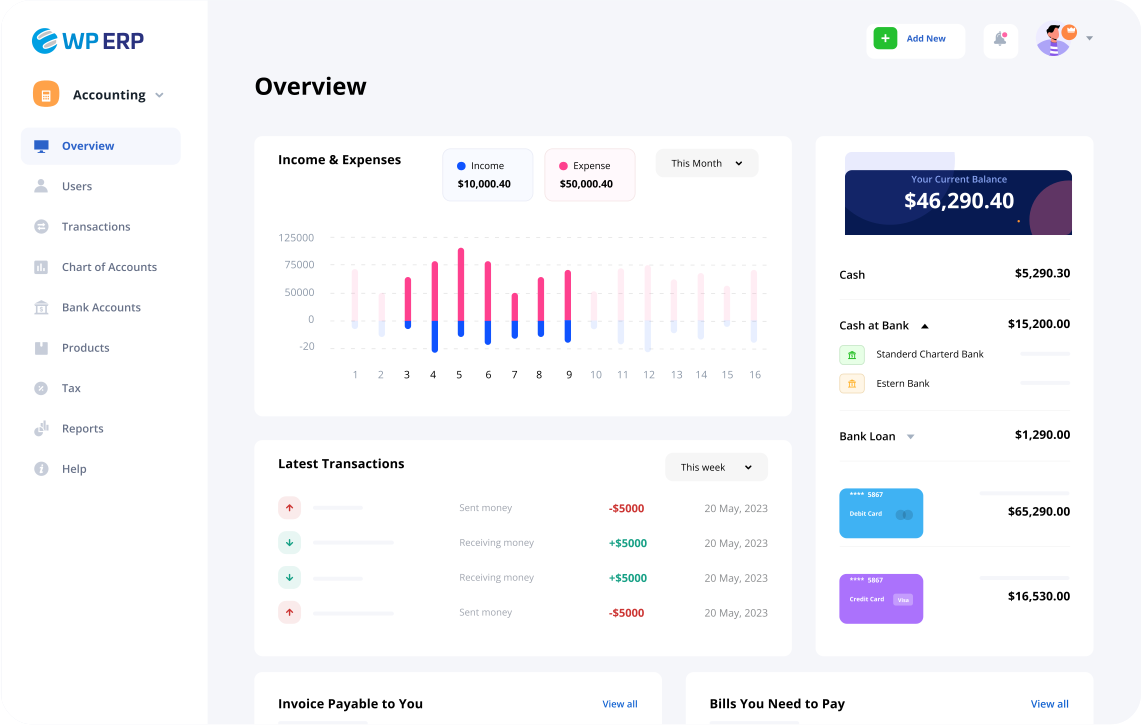
WP ERP is one of the most comprehensive WordPress ERP solutions available, offering a modular approach to business management.
Key Features:
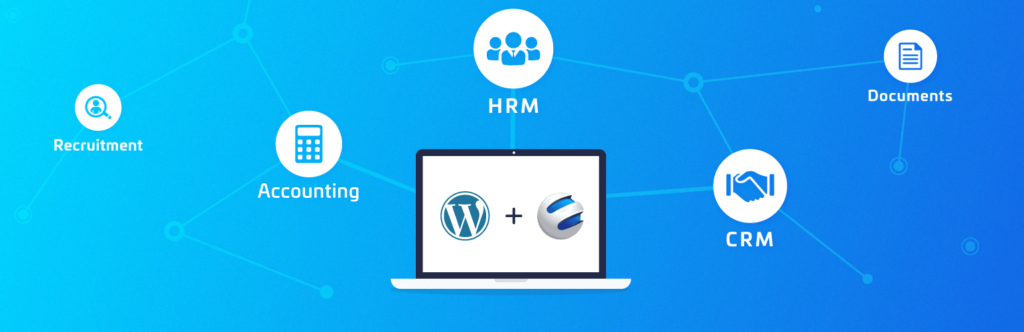
- HR Management: Employee profiles, leave management, attendance tracking
- CRM Module: Contact management, sales pipeline, email campaigns
- Accounting System: Chart of accounts, transactions, financial reporting
- Document Management: File storage and sharing capabilities
- Project Management: Task tracking, team collaboration tools
- Extensive API: Integration with other WordPress plugins and external services
Strengths:
- Purpose-built for WordPress environments
- Modular design allows implementing only needed components
- Active development with regular updates
- Growing extension ecosystem
- Strong documentation and support
Limitations:
- Less comprehensive than enterprise ERP solutions
- Some advanced features require premium extensions
- May require customization for industry-specific processes
Best For:
Small to medium-sized businesses looking for an all-in-one business management solution on WordPress.
2. HubSpot WordPress Integration
While not a full ERP solution, HubSpot’s WordPress integration provides robust CRM functionality that can serve as the foundation of an ERP system.
Key Features:
- Contact Management: Comprehensive customer database
- Lead Capture Forms: Convert website visitors to contacts
- Email Marketing: Targeted campaigns and automation
- Sales Pipeline: Deal tracking and management
- Analytics: Performance reporting and insights
- Live Chat: Real-time customer engagement
Strengths:
- Powerful marketing automation capabilities
- Free entry-level plan available
- Seamless WordPress integration
- Excellent user interface and experience
- Strong mobile functionality
Limitations:
- Primarily focused on CRM rather than full ERP functionality
- Higher tiers can become expensive
- Limited accounting and HR features
Best For:
Businesses prioritizing customer relationship management and marketing automation within their ERP strategy.
3. WooCommerce + Extensions
For e-commerce businesses, WooCommerce combined with strategic extensions can function as an effective ERP solution.
Key Features:
- Order Management: Processing, fulfillment, and tracking
- Inventory Control: Stock levels, variations, backorders
- Customer Management: Purchase history, account information
- Payment Processing: Multiple Payment Gateways for WordPress integration
- Shipping Management: Rates, labels, tracking
- Reporting: Sales, tax, inventory analytics
Strengths:
- Perfect for E-commerce WordPress sites
- Massive ecosystem of extensions
- Highly customizable for specific business models
- Strong community support
- Seamless integration with WordPress
Limitations:
- Requires multiple extensions for full ERP functionality
- Can become complex to manage with numerous plugins
- Limited HR and project management features without additional plugins
Best For:
E-commerce businesses looking to expand their WooCommerce store into a full business management system.
4. Groundhogg + WordPress
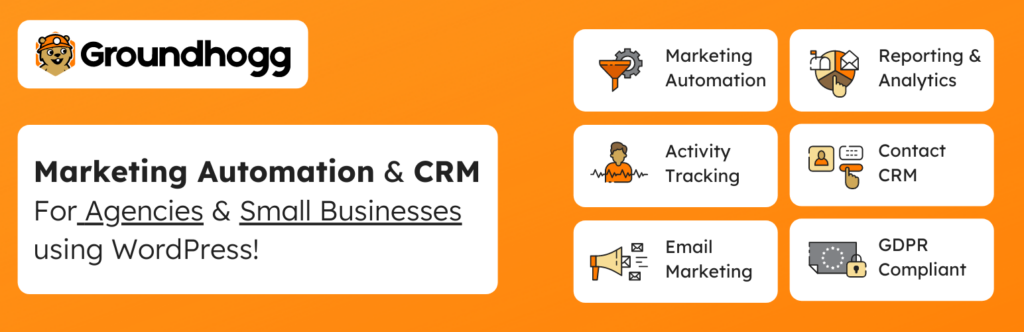
Groundhogg offers marketing automation and CRM functionality that can be expanded into ERP territory with additional integrations.
Key Features:
- Contact Management: Detailed customer profiles
- Marketing Automation: Email sequences, tagging, segmentation
- Sales Funnels: Visual funnel builder
- Form Builder: Lead capture and data collection
- E-commerce Integration: Works with WooCommerce and other platforms
- Reporting: Contact activity and campaign performance
Strengths:
- 100% WordPress-native solution
- One-time payment option (not just subscription)
- GDPR compliance features
- No limits on contacts or emails sent
- Strong automation capabilities
Limitations:
- Focuses primarily on marketing rather than full ERP
- Newer product with smaller community
- Requires additional plugins for accounting and HR
Best For:
Marketing-focused businesses that need CRM functionality with powerful automation capabilities.
5. WordPress Project Management Plugins
For organizations prioritizing project management within their ERP strategy, solutions like WP Project Manager can serve as a foundation.
Key Features:
- Task Management: Assignment, deadlines, status tracking
- Team Collaboration: Discussion boards, file sharing
- Client Portals: Client access to relevant projects
- Time Tracking: Record hours spent on tasks
- Gantt Charts: Visual project timelines
- Reporting: Project status and team performance
Strengths:
- Deep project management functionality
- Client-friendly interfaces
- Integrates well with other WordPress plugins
- Familiar WordPress environment
- Cost-effective compared to standalone project management tools
Limitations:
- Focused on project management rather than full ERP
- Limited financial and HR capabilities without additional plugins
- May require custom development for specific workflows
Best For:
Service-based businesses like agencies, consultancies, and professional services firms.
Building a Custom WordPress ERP Solution
For businesses with specific needs, building a custom WordPress ERP solution might be the most effective approach.
Core Components of a Custom WordPress ERP
A well-designed custom WordPress ERP typically includes:
- User Role Management: Custom capabilities and permissions
- Data Structure: Custom post types and taxonomies for business data
- Process Automation: Workflows for approval processes and notifications
- Reporting System: Custom dashboards and analytics
- Integration Layer: Connections to external services and APIs
- Security Implementation: Data protection and access controls
Development Approach
When building a custom WordPress ERP, consider these approaches:
1. Plugin-Based Architecture
- Utilize existing plugins as building blocks
- Develop custom plugins for specific functionality
- Create integration plugins to connect components
- Maintain modularity for future expansion
2. Core + Extensions Model
- Develop a core ERP framework plugin
- Build modular extensions for different departments
- Allow selective activation of modules
- Maintain consistent user experience across modules
3. App-Like Experience
- Create a custom admin interface
- Implement AJAX for seamless interactions
- Develop responsive layouts for all devices
- Focus on user experience and workflow efficiency
Custom Development Considerations
If you’re considering a custom WordPress ERP solution, keep these factors in mind:
- Development Cost: Custom solutions require significant initial investment
- Maintenance Requirements: Ongoing updates and compatibility management
- Documentation Needs: Thorough documentation for users and future developers
- Training Considerations: User training for custom interfaces and workflows
- Scalability Planning: Architecture that can grow with your business
For businesses interested in custom WordPress ERP development, working with a WordPress Expert for Hire specializing in business applications is highly recommended.
WordPress ERP Implementation Strategy
Whether using an existing solution or developing a custom system, successful WordPress ERP implementation requires careful planning and execution.
1. Requirements Analysis
Begin by thoroughly documenting your business processes and requirements:
- Process Mapping: Document current workflows and pain points
- Data Inventory: Identify all data types needed in the system
- User Stories: Create scenarios for how different roles will use the system
- Integration Requirements: List all systems that need to connect with the ERP
- Reporting Needs: Define key metrics and reporting requirements
- Compliance Considerations: Document any regulatory requirements
2. Technical Foundation
Ensure your WordPress environment is optimized for ERP functionality:
- Hosting Infrastructure: Select robust, business-grade hosting like Flywheel WordPress Hosting
- Security Implementation: Apply proper How to add SSL to WordPress protocols
- Performance Optimization: Implement WordPress Page Speed Optimization techniques
- Backup Strategy: Set up comprehensive backup solutions
- Staging Environment: Create a testing environment for development
3. Phased Implementation
Rather than launching all ERP functionality simultaneously, consider a phased approach:
Phase 1: Core Infrastructure
- User roles and permissions
- Basic data structures
- Authentication and security
Phase 2: Department-Specific Modules
- Begin with highest-priority department (often Sales or HR)
- Implement and test thoroughly before proceeding
- Train department staff and gather feedback
Phase 3: Cross-Departmental Processes
- Implement workflows that span multiple departments
- Develop reporting that crosses departmental boundaries
- Create dashboards for management overview
Phase 4: Integration and Automation
- Connect with external systems
- Implement automation for routine tasks
- Develop advanced reporting and analytics
4. Data Migration
Moving existing business data into your WordPress ERP requires careful planning:
- Data Cleaning: Review and clean existing data before migration
- Mapping Exercise: Define how old data structures map to new ones
- Migration Tools: Develop or select appropriate migration utilities
- Validation Process: Verify data integrity after migration
- Historical Data Decisions: Determine how much historical data to migrate
5. Training and Documentation
Ensure user adoption through comprehensive training and documentation:
- Role-Based Training: Tailored training for different user groups
- Documentation Library: Searchable knowledge base of procedures
- Video Tutorials: Visual guides for common tasks
- Sandbox Environment: Practice area for users to learn safely
- Change Management: Address resistance to new systems and processes
Real-World WordPress ERP Applications
To illustrate the practical applications of WordPress ERP, let’s examine how different types of businesses can utilize these solutions:
Small Manufacturing Company
Business Needs:
- Inventory management for raw materials and finished goods
- Production scheduling and tracking
- Quality control documentation
- Customer order management
- Supplier relationship management
WordPress ERP Solution:
- WP ERP core for accounting and HR
- WooCommerce for order management
- Inventory management extension
- Custom supplier management module
- Quality control documentation system using a document management plugin
Benefits:
- Complete visibility of production process
- Reduced inventory costs through better management
- Improved quality control through standardized documentation
- Enhanced customer communication regarding orders
- Streamlined supplier relationships
Professional Services Firm
Business Needs:
- Client relationship management
- Project tracking and management
- Time and expense tracking
- Resource allocation
- Billing and invoicing
- Performance reporting
WordPress ERP Solution:
- CRM module for client management
- Project management plugin for task tracking
- Time tracking extension
- Custom resource allocation dashboard
- Invoicing system integrated with accounting
- Custom reporting module for performance metrics
Benefits:
- Improved project profitability through better tracking
- Enhanced resource utilization
- More accurate client billing
- Better visibility into staff performance
- Streamlined client communication
E-commerce Business
Business Needs:
- Order processing and fulfillment
- Inventory management
- Customer relationship management
- Marketing automation
- Financial reporting
- Supplier management
WordPress ERP Solution:
- WooCommerce as the foundation
- Inventory management extension
- CRM plugin for customer management
- Email marketing integration
- Accounting system integration
- Supplier portal using a membership plugin
Benefits:
- Unified view of customers across sales and support
- Automated inventory management
- Improved marketing effectiveness
- Better financial visibility
- Streamlined supplier communication
Non-Profit Organization
Business Needs:
- Donor management
- Program tracking
- Volunteer coordination
- Grant management
- Compliance reporting
- Event organization
WordPress ERP Solution:
- CRM module adapted for donor management
- Custom program tracking module
- Volunteer management plugin
- Grant tracking using project management tools
- Custom reporting for compliance requirements
- Event management plugin integration
Benefits:
- Improved donor retention through better relationship management
- Enhanced program effectiveness tracking
- More efficient volunteer coordination
- Better grant application and reporting processes
- Simplified compliance documentation
Security Considerations for WordPress ERP
When implementing an ERP system on WordPress, security becomes even more critical as you’re storing sensitive business data.
Essential Security Measures
Implement these security measures for your WordPress ERP:
- Access Control
- Implement role-based access control
- Use strong password policies
- Enable two-factor authentication
- Apply the principle of least privilege
- Data Protection
- Ensure proper SSL implementation
- Encrypt sensitive data at rest
- Implement secure data backup procedures
- Consider data anonymization for testing
- Application Security
- Keep WordPress core, themes, and plugins updated
- Use security plugins for monitoring and protection
- Implement API security for integrations
- Conduct regular security audits
- Infrastructure Security
- Choose secure, business-grade hosting
- Implement server-level security measures
- Use a Web Application Firewall (WAF)
- Set up intrusion detection systems
- Compliance Considerations
- Ensure GDPR compliance for personal data
- Implement industry-specific compliance measures
- Document security procedures and policies
- Create incident response plans
Security Plugins for WordPress ERP
Consider these security plugins for your WordPress ERP implementation:
- Wordfence: Comprehensive security including firewall and malware scanning
- Sucuri: Security monitoring and website firewall
- iThemes Security: WordPress hardening and security features
- WP Activity Log: User activity monitoring essential for ERP systems
- VaultPress: Backup and security scanning services
Challenges and Limitations of WordPress ERP
While WordPress can function effectively as an ERP platform, it’s important to understand its limitations:
Technical Limitations
- Performance at Scale: Very large organizations may experience performance issues
- Complex Transaction Processing: Advanced financial operations may require specialized systems
- Real-time Processing: Some operations may not happen in real-time without custom development
- Database Design: WordPress’s database structure isn’t optimized for some ERP functions
Business Considerations
- Customization Requirements: Significant customization may be needed for specific industries
- Total Cost of Ownership: While initially less expensive than traditional ERP, costs can add up
- Support Ecosystem: Fewer specialized consultants compared to traditional ERP platforms
- Integration Complexity: Some third-party integrations may require custom development
When WordPress ERP May Not Be Suitable
WordPress ERP solutions might not be appropriate for:
- Enterprise-scale organizations with thousands of employees
- Businesses with extremely complex manufacturing processes
- Organizations with specialized regulatory requirements
- Companies needing real-time global inventory systems
- Businesses requiring complex multi-currency financial consolidation
In these cases, traditional ERP systems like SAP, Oracle, or Microsoft Dynamics might be more appropriate.
Comparing WordPress ERP to Traditional ERP Systems
To provide context, let’s compare WordPress ERP solutions to traditional enterprise systems:
WordPress ERP vs. SAP
WordPress ERP Advantages:
- Significantly lower cost of implementation
- Faster deployment timeframe
- More user-friendly interface
- Lower training requirements
- Greater flexibility for customization
SAP Advantages:
- More comprehensive functionality out-of-the-box
- Better suited for global enterprise operations
- More robust for complex manufacturing
- Stronger multi-currency and multi-company capabilities
- Larger ecosystem of specialized consultants
WordPress ERP vs. Microsoft Dynamics
WordPress ERP Advantages:
- Lower licensing costs
- Simpler implementation process
- Better web interface
- More flexible customization
- Lower IT infrastructure requirements
Microsoft Dynamics Advantages:
- Tighter integration with Microsoft products
- More sophisticated financial management
- Better suited for complex distribution operations
- Stronger business intelligence capabilities
- More established implementation partners
WordPress ERP vs. Odoo (Open Source ERP)
WordPress ERP Advantages:
- Familiar WordPress interface
- Larger developer community
- More extensive plugin ecosystem
- Better content management capabilities
- Simpler hosting requirements
Odoo Advantages:
- Purpose-built for ERP functionality
- More cohesive design across modules
- Better manufacturing support
- More advanced inventory management
- More consistent user experience across modules
Future Trends in WordPress ERP
The WordPress ERP landscape continues to evolve. Here are some emerging trends to watch:
1. AI and Automation Integration
Artificial intelligence and automation are becoming increasingly important in ERP systems:
- Predictive Analytics: Forecasting based on historical data
- Automated Workflows: Reducing manual processes
- Intelligent Document Processing: Extracting data from unstructured documents
- Chatbots for Internal Support: Assisting employees with ERP questions
- Anomaly Detection: Identifying unusual patterns in business data
2. Mobile-First ERP Experiences
As work becomes more distributed, mobile ERP access is critical:
- Progressive Web Apps: Advanced mobile experiences without native apps
- Offline Capabilities: Working without constant connectivity
- Mobile Data Entry: Simplified forms for on-the-go input
- Location-Aware Features: Contextual information based on location
- Mobile Approvals: Workflow processing from any device
3. API-Driven Architecture
Modern ERP systems are becoming more interconnected:
- Headless ERP: Separating backend functions from user interfaces
- Microservices: Breaking ERP into smaller, specialized services
- Third-Party Integrations: Connecting with specialized tools
- Webhook Automation: Triggering actions across systems
- Unified Data Layer: Consistent data access across applications
4. Industry-Specific WordPress ERP Solutions
The market is seeing more specialized ERP solutions for specific industries:
- Healthcare: Patient management and compliance
- Education: Student information and course management
- Professional Services: Time tracking and project profitability
- Real Estate: Property management and client tracking
- Non-Profit: Donor management and program tracking
Case Study: Implementing WordPress ERP for a Medium-Sized Business
To illustrate the practical application of WordPress ERP, let’s examine a real-world implementation for a medium-sized business.
Company Profile: GreenGrow Agricultural Supplies
Business Type: Agricultural supply distributor
Size: 45 employees
Annual Revenue: $8.5 million
Locations: Main warehouse and 3 retail locations
Challenge
GreenGrow was struggling with disconnected systems:
- Inventory management in spreadsheets
- Customer information in multiple databases
- Order processing through paper forms
- Accounting in QuickBooks
- Employee scheduling in a separate system
This disconnected approach led to:
- Inventory discrepancies
- Duplicate customer records
- Order fulfillment errors
- Manual data re-entry
- Difficulty accessing information across departments
WordPress ERP Solution
After analyzing requirements, we implemented a custom WordPress ERP solution:
Core Components:
- WP ERP for HR and accounting foundation
- WooCommerce for inventory and order management
- Custom CRM extension for farmer/reseller relationships
- Custom reporting dashboard for management
- Mobile access for field sales representatives
Integration Points:
- QuickBooks Online for advanced accounting
- Weather data API for seasonal planning
- Shipping provider API for delivery tracking
- SMS notification system for order status
Custom Development:
- Specialized inventory forecasting for seasonal products
- Farmer-specific CRM fields and reporting
- Custom commission calculation for sales representatives
- Soil testing request and results tracking
Implementation Approach
The implementation followed a phased approach:
Phase 1: Foundation (2 months)
- Core WordPress setup and security hardening
- User roles and permissions configuration
- Data migration from legacy systems
- Basic inventory and customer management
Phase 2: Operations (3 months)
- Order processing workflow
- Inventory management
- Supplier portal implementation
- Point of sale integration for retail locations
Phase 3: Analytics (2 months)
- Management dashboard development
- Sales forecasting tools
- Seasonal planning features
- Performance metrics for employees
Results
After one year with the new WordPress ERP system:
- 36% reduction in order processing time
- 22% decrease in inventory carrying costs
- 18% increase in sales rep productivity
- 41% faster month-end closing process
- 28% improvement in customer satisfaction scores
The total cost of implementation was approximately 40% less than quoted solutions from traditional ERP vendors, with significantly higher user adoption rates due to the intuitive WordPress interface.
Best Practices for WordPress ERP Success
Based on dozens of implementations, here are key best practices for WordPress ERP success:
1. Start with Business Processes, Not Technology
- Document current processes before selecting solutions
- Identify pain points and inefficiencies to address
- Define clear objectives for the ERP implementation
- Involve stakeholders from all departments in planning
- Map desired future state workflows before configuration
2. Prioritize Data Quality
- Clean and normalize data before migration
- Establish data governance policies for ongoing quality
- Implement validation rules to prevent bad data entry
- Create data ownership roles within the organization
- Develop data quality monitoring processes
3. Focus on User Adoption
- Involve end users in design decisions
- Develop role-specific training materials
- Create quick reference guides for common tasks
- Establish a support system for user questions
- Gather and implement user feedback continuously
4. Plan for Integration
- Map all data flows between systems
- Define integration priorities based on business impact
- Establish data synchronization frequency requirements
- Document API limitations and authentication methods
- Create contingency plans for integration failures
5. Implement Proper Governance
- Establish change management processes
- Define roles and responsibilities for ERP maintenance
- Create a roadmap for future enhancements
- Document configuration decisions and rationale
- Develop testing protocols for system changes
Conclusion: Is WordPress ERP Right for Your Business?
After examining the capabilities, limitations, and implementation strategies for WordPress ERP, it’s clear that this approach offers a compelling alternative to traditional ERP systems for many businesses.
WordPress ERP solutions are particularly well-suited for:
- Small to medium-sized businesses seeking cost-effective ERP
- Organizations already using WordPress for their website
- Companies needing flexible, customizable business management
- Businesses with strong content management requirements
- Organizations prioritizing user-friendly interfaces
The decision to implement WordPress as an ERP solution should be based on a thorough analysis of your specific business requirements, technical capabilities, and long-term strategic goals. While not appropriate for every organization, WordPress ERP provides an accessible, flexible approach to business management that can deliver significant value when properly implemented.
For businesses considering WordPress ERP, I recommend starting with a comprehensive requirements analysis and pilot project to evaluate fit before full implementation. Working with experienced WordPress developers who understand business processes is crucial for success.
At Jackober, we’ve helped numerous businesses implement custom WordPress ERP solutions tailored to their specific needs. Whether you’re looking to build a complete ERP system or integrate specific business management functions into your existing WordPress site, we can provide the expertise needed for success.
For more information on WordPress capabilities for business applications, explore our other guides on How Easy Is It to Build a Website with WordPress? and WordPress Support Ticket systems.
With the right approach, WordPress can transform from a simple content management system into a powerful, flexible ERP platform that grows with your business.
Jackober is a seasoned WordPress expert and digital strategist with a passion for empowering website owners. With years of hands-on experience in web development, SEO, and online security, Jackober delivers reliable, practical insights to help you build, secure, and optimize your WordPress site with ease.
You might also like