
Best WordPress Translation Plugins in 2025
 jackober
November 17, 2025 5:29 am
.
20 min read
jackober
November 17, 2025 5:29 am
.
20 min read
As a WordPress developer and SEO specialist at Jackober, I’ve implemented multilingual solutions for numerous clients across various industries. One question I’m frequently asked is, “What’s the best translation plugin for WordPress?”
The answer isn’t straightforward—it depends on your specific needs, budget, and technical requirements. With the global reach of websites today, implementing a proper translation solution isn’t just a luxury; it’s becoming essential for businesses looking to expand their audience and improve user experience for international visitors.
In this experts guide, I’ll share my professional insights on the best WordPress translation plugins available in 2025, analyze their features, performance impact, and provide practical implementation advice based on real-world experience.
Why Your WordPress Site Needs a Translation Plugin
Before diving into specific plugin recommendations, let’s understand why translation capabilities are crucial for modern WordPress websites.
The Business Case for Website Translation
Translating your WordPress site offers significant business advantages:
- Expanded audience reach: Access new markets and demographics
- Improved user experience: Visitors prefer browsing in their native language
- Higher conversion rates: Studies show users are 3-4x more likely to purchase when content is in their language
- SEO benefits: Properly implemented multilingual sites can rank better in local search results
- Competitive advantage: Stand out from competitors who only offer single-language content
- Brand trust: Build credibility with international audiences
- Regulatory compliance: Meet legal requirements in regions with language laws
Translation Approaches: Manual vs. Automatic
There are two primary approaches to website translation:
Manual Translation:
- Human translators create content in each target language
- Highest quality and contextual accuracy
- More expensive and time-consuming
- Best for brand-critical content and legal pages
Automatic Translation:
- Machine translation services (like Google Translate or DeepL)
- Fast and cost-effective
- Quality has improved significantly but still imperfect
- Good for large volumes of content with post-editing
Most businesses benefit from a hybrid approach, using machine translation for large content volumes and human translation for critical pages.
Key Features to Look for in WordPress Translation Plugins
When evaluating translation plugins, consider these essential features:
Translation Method Support
The best plugins offer flexibility in how content is translated:
- Manual translation interface: User-friendly editor for human translators
- Automatic translation integration: Connections to machine translation services
- Translation memory: Stores previously translated content for consistency
- Import/export capabilities: Work with professional translation services
Content Coverage
Look for comprehensive translation of all site elements:
- Post and page content: Primary content translation
- Custom post types: Support for portfolio items, products, etc.
- Taxonomies: Categories, tags, and custom taxonomies
- Widgets and menus: Navigation elements in multiple languages
- Theme strings: Text hardcoded in your theme
- Plugin text: Content from other plugins
- Media handling: Image alt text, captions, and attachments
- Custom fields: Support for ACF and other metadata
SEO Considerations
Multilingual SEO is crucial for international visibility:
- Proper URL structure: Language-specific URLs (subdirectories, subdomains, or domains)
- Hreflang support: Correct implementation of language tags
- Separate sitemaps: Language-specific XML sitemaps
- Metadata translation: Title tags, meta descriptions, and Open Graph data
- SEO plugin compatibility: Works with Yoast SEO, Rank Math, etc.
User Experience Features
Consider how the plugin affects visitor experience:
- Language switcher options: Customizable language selection interface
- Browser language detection: Automatically redirect based on browser settings
- Geolocation support: Serve language based on visitor location
- Right-to-left (RTL) language support: For languages like Arabic and Hebrew
- Typography handling: Support for non-Latin character sets
Technical Considerations
Evaluate the technical implementation and performance impact:
- Database approach: How translations are stored (separate tables, post duplication, etc.)
- Performance impact: Effect on page load times and server resources
- Caching compatibility: Works with popular caching solutions
- Developer API: Extensibility for custom functionality
- Backup and migration support: How translations are handled during site moves
Top WordPress Translation Plugins Compared
After extensive testing and implementation experience, here are my detailed reviews of the leading WordPress translation plugins:
1. WPML (WordPress Multilingual Plugin)
Overview: WPML has long been the industry standard for WordPress translation, offering a comprehensive solution for multilingual websites.
Key Features:
- Complete translation management system
- Advanced String Translation for theme and plugin text
- Professional translation management workflow
- WooCommerce multilingual support
- Media translation capabilities
- Strong compatibility with major themes and plugins
- Translation management for teams
Strengths:
- Mature, well-established solution
- Extensive documentation and support
- Strong compatibility ecosystem
- Professional translation integration
- Regular updates and improvements
Limitations:
- Higher price point
- Steeper learning curve
- Can be complex for simple sites
- No free version available
- Some performance overhead
Pricing:
- Multilingual Blog: $99/year
- Multilingual CMS: $149/year
- Multilingual Agency: $299/year
Best For: Business websites, e-commerce stores, and complex sites requiring professional translation workflow.
2. Polylang
Overview: Polylang offers a more lightweight alternative to WPML with both free and premium versions available.
Key Features:
- Free core plugin with premium add-ons
- String translation capabilities
- Custom post type support
- Media translation
- Language switcher widgets and shortcodes
- SEO-friendly URL options
- RTL language support
Strengths:
- Lower entry barrier with free version
- Simpler interface and setup
- Lighter performance footprint
- More affordable premium version
- Good compatibility with major themes
Limitations:
- Less comprehensive than WPML for complex sites
- Fewer advanced translation workflow features
- Limited enterprise-level capabilities
- Some features require separate add-ons
Pricing:
- Free version available
- Polylang Pro: €99/year
- Polylang Business: €199/year
- Polylang Enterprise: €299/year
Best For: Small to medium websites, blogs, and businesses with straightforward translation needs.
3. TranslatePress
Overview: TranslatePress takes a unique visual translation approach, allowing inline editing of translations directly on the frontend.
Key Features:
- Visual translation interface
- SEO-friendly URL structure
- Automatic translation via Google Translate or DeepL
- Translation of dynamic content (AJAX, JavaScript)
- WooCommerce compatibility
- Image translation capabilities
- User role management for translators
Strengths:
- Intuitive visual editor
- No need to switch between pages
- Context-aware translations
- Translates any theme or plugin content
- Good for non-technical users
Limitations:
- More resource-intensive on larger sites
- Limited advanced workflow features
- Fewer enterprise-level capabilities
- Some SEO features only in premium version
Pricing:
- Free version available
- Personal: €89/year (1 site)
- Business: €159/year (3 sites)
- Developer: €249/year (unlimited sites)
Best For: Visual-oriented users, small businesses, and sites with dynamic content requiring context during translation.
4. Weglot
Overview: Weglot is a cloud-based translation service that offers both automatic and human translation options with minimal setup.
Key Features:
- Quick setup process
- Automatic content detection and translation
- Visual editing interface
- Translation of all website content including JavaScript
- Professional translation ordering
- Compatible with any WordPress theme or plugin
- Comprehensive translation dashboard
Strengths:
- Easiest initial setup
- Translates 100% of content automatically
- Cloud-based with minimal server impact
- Advanced analytics on language usage
- Excellent customer support
Limitations:
- Subscription-based with monthly/yearly fees
- Translations stored on Weglot servers
- Dependency on external service
- Higher cost for high-traffic sites
- Limited control over technical implementation
Pricing:
- Starter: €99/year (1 language, 50K words)
- Business: €199/year (3 languages, 200K words)
- Advanced: €499/year (10 languages, 1M words)
- Enterprise: Custom pricing
Best For: Businesses seeking the fastest implementation with minimal technical configuration, and those comfortable with cloud-based solutions.
5. MultilingualPress
Overview: MultilingualPress takes a unique approach by using WordPress Multisite to create separate sites for each language.
Key Features:
- Based on WordPress Multisite
- Separate sites for each language
- No content duplication in database
- Language relationships between sites
- Content synchronization features
- Minimal performance impact
- Developer-friendly architecture
Strengths:
- Most SEO-friendly approach (separate sites)
- Excellent performance (no translation overhead)
- Maximum flexibility for each language site
- No lock-in (content remains if plugin is disabled)
- Clean technical implementation
Limitations:
- Requires WordPress Multisite setup
- More complex initial configuration
- Separate management of each language site
- Higher technical knowledge required
- Limited automatic translation options
Pricing:
- Standard: €199/year (3 sites)
- Plus: €399/year (10 sites)
- Agency: €599/year (unlimited sites)
Best For: Developers, agencies, and technically-oriented businesses that prioritize performance and SEO for multilingual sites.
6. GTranslate
Overview: GTranslate focuses on automatic translation using Google Translate and other services with minimal setup required.
Key Features:
- Easy setup with widget-based language switcher
- Automatic translation via Google Translate
- Neural machine translations option
- Live translation mode (no database storage)
- SEO-friendly URLs in paid versions
- Language hosting on Google Cloud CDN
- Analytics for language usage
Strengths:
- Simplest implementation for automatic translation
- Very low entry barrier with free version
- Minimal server resource usage
- No maintenance required
- Quick deployment
Limitations:
- Limited control over translations
- Free version lacks SEO features
- Quality depends on machine translation
- Less suitable for professional content
- Limited customization options
Pricing:
- Free version available
- Plus: $7.99/month
- Business: $17.99/month
- Enterprise: $99.99/month
Best For: Small websites, blogs, and businesses looking for quick automatic translation with minimal investment.
Implementation Strategies for WordPress Translation
Based on my experience implementing multilingual solutions at Jackober, here are some practical strategies for different scenarios:
For Small Business Websites
If you’re running a small business site with limited content:
- Start with core pages only: Translate homepage, about, services, and contact first
- Consider a hybrid approach: Use machine translation as a first pass, then manually refine
- Implement language detection: Automatically suggest the visitor’s preferred language
- Focus on local languages: Target languages specific to your business markets
- Use a simpler plugin: Polylang or TranslatePress often suffice for smaller sites
For E-commerce Websites
E-commerce WordPress sites have special translation requirements:
- Prioritize product catalog: Ensure complete translation of products, categories, and attributes
- Pay special attention to checkout: Fully translate the purchasing process
- Consider currency conversion: Often pairs well with language switching
- Implement country-specific shipping: Use Shipstation for WordPress with language-specific shipping rules
- Translate email templates: Ensure order confirmations match the customer’s language
- Set up multilingual payment options: Configure Payment Gateways for WordPress for each target market
For WooCommerce specifically, WPML with its WooCommerce Multilingual add-on or Weglot offer the most comprehensive solutions.
For Content-Heavy Websites
News sites, magazines, and blogs with frequent content updates:
- Implement translation workflows: Set up systems for ongoing content translation
- Consider automatic translation: Use machine translation with editorial review
- Create language-specific categories: Organize content differently per language if needed
- Implement partial translation: Translate only the most popular content if resources are limited
- Use translation memory: Leverage previously translated content for consistency
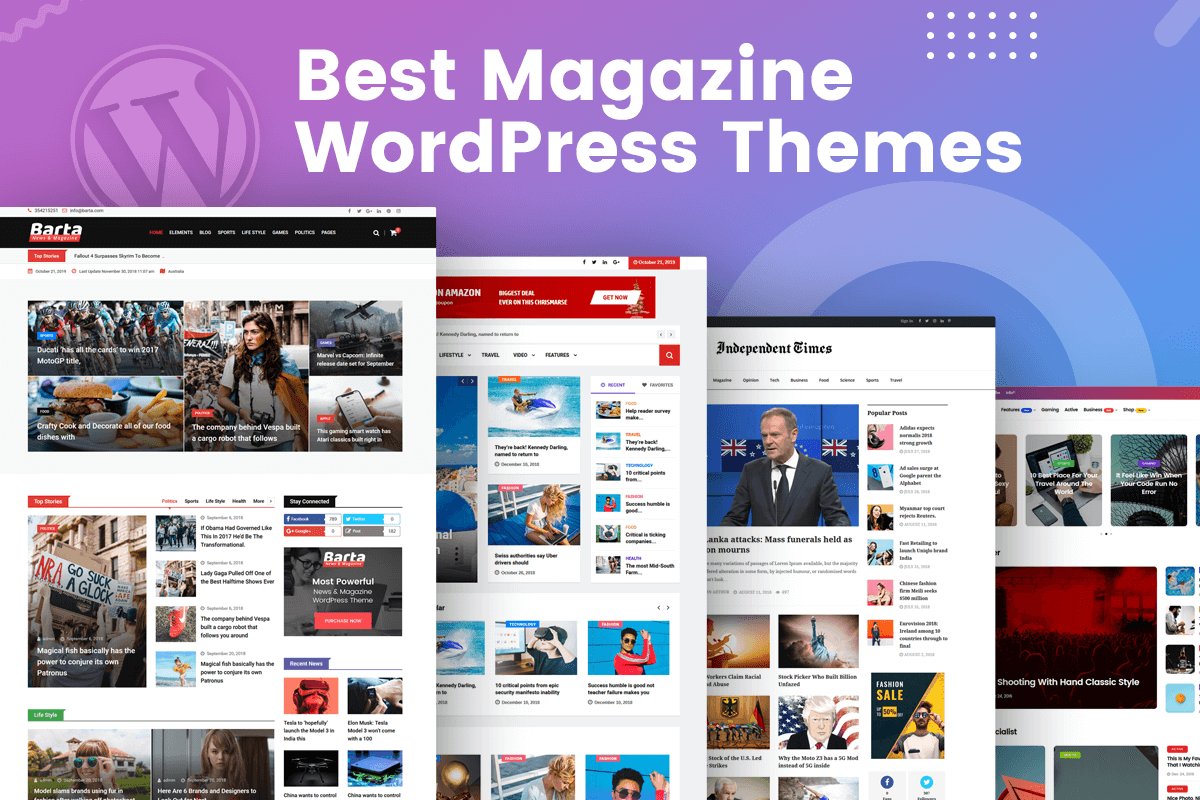
Sites using Best Magazine WordPress Theme options should ensure their chosen translation plugin is compatible with their specific theme.
For Corporate and Enterprise Websites
Larger organizations have more complex requirements:
- Implement professional translation workflows: Connect with translation agencies
- Set up user roles and permissions: Control who can create/edit translations
- Create approval processes: Implement review stages before publishing translations
- Consider separate domains: Use country-specific domains for major markets
- Implement regulatory compliance: Ensure legal requirements are met in each region
- Integrate with CRM systems: Connect customer data across languages
- Consider WordPress ERP integration: Ensure business systems work across languages
For enterprise solutions, WPML or MultilingualPress typically provide the necessary capabilities.
Technical Implementation Considerations
When implementing translation plugins, several technical factors require attention:
URL Structure Options
Choose the right URL structure for your multilingual site:
- Subdirectories (example.com/fr/):
- Most common approach
- Good for SEO
- Keeps all languages on same domain
- Easier to manage with single SSL certificate
- Subdomains (fr.example.com):
- Clearer separation between language versions
- Potentially better for geotargeting
- Requires additional SSL setup
- More complex to implement
- Separate domains (example.fr):
- Best for strong country-specific presence
- Strongest geotargeting signals
- Most complex to manage
- Requires separate hosting and SSL certificates
For SSL implementation across multiple domains or subdomains, refer to our guide on How to add SSL to WordPress.
Database Impact and Performance
Translation plugins affect your database structure:
- Content duplication: Some plugins create copies of posts for each language
- Separate tables: Others use custom tables for translations
- External storage: Cloud solutions like Weglot store translations externally
Performance implications include:
- Increased database size: More content means larger backups and potential slowdowns
- Additional queries: Translation plugins often add database queries
- Caching challenges: Multilingual sites require language-aware caching
For performance optimization strategies, see our guide on WordPress Page Speed Optimization.
Hosting Requirements
Multilingual sites often need more robust hosting:
- Increased storage: For duplicated content and media
- More processing power: To handle translation overhead
- Higher memory limits: For translation processing
- Better caching solutions: To maintain performance across languages
Consider Flywheel WordPress Hosting for multilingual sites, as it provides the necessary resources and performance optimizations.
SEO Best Practices for Multilingual WordPress Sites
Proper multilingual SEO implementation is crucial for international visibility:
Hreflang Implementation
Hreflang tags tell search engines about language relationships:
<link rel="alternate" hreflang="en" href="https://example.com/" />
<link rel="alternate" hreflang="fr" href="https://example.com/fr/" />
<link rel="alternate" hreflang="es" href="https://example.com/es/" />
<link rel="alternate" hreflang="x-default" href="https://example.com/" />
Most translation plugins handle this automatically, but verify proper implementation.
Language-Specific SEO
Optimize each language version individually:
- Translate all metadata: Titles, descriptions, alt text, etc.
- Research keywords by language: Don’t directly translate keywords
- Create language-specific sitemaps: Help search engines discover all content
- Set up Google Search Console for each language: Monitor performance by language
- Consider cultural differences: Adapt content beyond translation
Avoiding Common SEO Mistakes
Watch out for these multilingual SEO pitfalls:
- Missing hreflang tags: Leads to duplicate content issues
- Incorrect language targeting: Using wrong language codes
- Inconsistent URL structures: Mixing different approaches
- Automatic redirection issues: Forcing users to specific languages
- Untranslated content: Leaving portions of pages in original language
- Missing language switcher: Making it difficult for users to change languages
Translation Plugin Compatibility Considerations
Ensure your translation plugin works well with your existing WordPress setup:
Theme Compatibility
Different themes have varying levels of translation readiness:
- Translation-ready themes: Properly internationalized with text domains
- Hard-coded text issues: Some themes contain text that’s difficult to translate
- Layout considerations: Some designs break with longer text in other languages
- RTL support: Check if your theme properly supports right-to-left languages
Our collection of Free WordPress Themes includes several translation-ready options.
Plugin Compatibility
Check compatibility with your essential plugins:
- Page builders: Ensure compatibility with Best WordPress Page Builders
- SEO plugins: Test with Yoast SEO, Rank Math, or your preferred SEO solution
- Form plugins: Verify contact forms work in all languages
- Membership plugins: Check user experience across languages
- Custom functionality: Test any custom-developed features
For construction websites using Best Construction WordPress Themes, verify that project portfolios and service listings translate properly.
Technical Conflicts to Watch For
Be aware of these potential technical issues:
- Caching conflicts: Some caching plugins don’t handle language detection well
- AJAX loading issues: Dynamic content may not translate properly
- Custom post type handling: Verify all custom content types translate correctly
- Permalink structure conflicts: URL rewriting can cause conflicts
- JavaScript-loaded content: May be missed by some translation plugins
Case Studies: Real-World Translation Implementations
Let’s examine some actual translation plugin implementations I’ve worked on:
Case Study 1: E-commerce Fashion Retailer
Client Profile: Online fashion retailer selling internationally
Challenge: Needed to translate 5,000+ products into 4 languages while maintaining fast site performance
Solution Implemented: WPML with WooCommerce Multilingual
Implementation Strategy:
- Set up language-specific product categories and attributes
- Implemented automatic translation for product descriptions with manual review
- Created language-specific shipping and payment options
- Optimized product images using techniques from our How to Optimize Images for WordPress guide
- Implemented CDN for global performance
Results:
- 47% increase in international sales
- 35% improvement in conversion rates for non-English visitors
- 28% reduction in cart abandonment for translated checkout
- Maintained page load times under 2 seconds despite translation overhead
Key Takeaway: For e-commerce, investing in complete translation (including checkout, emails, and product details) delivers significant ROI.
Case Study 2: Corporate B2B Service Provider
Client Profile: IT services company targeting multiple European markets
Challenge: Needed professional-quality translations with different content strategies per country
Solution Implemented: MultilingualPress with WordPress Multisite
Implementation Strategy:
- Created separate sites for each target country
- Implemented country-specific content strategies beyond translation
- Connected with professional translation service via API
- Set up approval workflows for legal compliance
- Integrated with CRM for lead tracking across languages
Results:
- 53% increase in qualified leads from new language markets
- Improved local search rankings in target countries
- 41% increase in RFP submissions from international prospects
- Enhanced brand perception in local markets
Key Takeaway: For B2B companies, the multisite approach allows greater customization for each market while maintaining brand consistency.
Case Study 3: Travel Blog Monetization
Client Profile: Travel blogger with growing international audience
Challenge: Needed cost-effective translation for 500+ blog posts to monetize international traffic
Solution Implemented: TranslatePress with automatic translation
Implementation Strategy:
- Implemented machine translation for all content
- Prioritized manual review for most popular articles
- Created language-specific affiliate links
- Implemented geotargeting for relevant travel recommendations
- Added interactive elements using techniques from our How to Create Scroll-Over Interactive Elements in WordPress guide
Results:
- 215% increase in traffic from non-English speaking countries
- 78% improvement in page view duration for translated content
- 62% growth in affiliate revenue from international visitors
- Successful monetization of previously untapped audience segments
Key Takeaway: For content publishers, even machine translation with minimal editing can significantly expand audience and revenue.
Troubleshooting Common Translation Plugin Issues
Even with careful implementation, issues can arise. Here are solutions to common problems:
Missing Translations
If content isn’t appearing in translated versions:
- Check string registration: Ensure theme/plugin text is properly registered for translation
- Verify content types: Confirm your plugin is set to translate the content type
- Check caching: Clear caches after adding translations
- Look for JavaScript content: Some dynamic content may require special handling
- Check user permissions: Verify translators have appropriate access rights
Performance Issues
If your site slows down after translation implementation:
- Implement proper caching: Configure caching for multilingual support
- Optimize database: Regular optimization becomes more important
- Consider object caching: Redis or Memcached can help with translation overhead
- Upgrade hosting: More resources may be necessary
- Limit concurrent translations: Process large content sets in batches
For more WordPress troubleshooting advice, see our guide on 15 Easy Fixes for Common WordPress Issues.
URL and Redirection Problems
For issues with language URLs and redirections:
- Check permalink settings: Ensure consistent structure across languages
- Verify hreflang implementation: Confirm proper language relationship tags
- Test manual language switching: Verify direct URL access works
- Check server redirects: Look for conflicts in .htaccess or server configuration
- Clear browser cache: Test in incognito/private browsing mode
Translation Quality Issues
For problems with translation accuracy:
- Review machine translation settings: Adjust or switch providers if quality is poor
- Implement glossary terms: Define brand-specific terminology
- Context issues: Provide contextual information for translators
- Inconsistent terminology: Implement translation memory functionality
- Character encoding problems: Ensure proper UTF-8 support throughout
Future-Proofing Your Multilingual WordPress Site
Plan for the future of your multilingual implementation:
Ongoing Maintenance Considerations
Translation isn’t a one-time project:
- Content update strategy: Plan how new content will be translated
- Plugin and theme updates: Test translations after WordPress updates
- Translation memory management: Maintain and improve your translation database
- Performance monitoring: Watch for degradation as content grows
- Regular backups: Backup translation data separately if necessary
Emerging Translation Technologies
Stay aware of new developments:
- Neural machine translation: Increasingly human-like automatic translations
- AI-powered contextual translation: Better understanding of meaning
- Voice translation integration: For multimedia content
- Improved translation APIs: More options for automatic translation
- Native WordPress improvements: Core language features enhancements
Migration Considerations
If you need to change translation plugins in the future:
- Export options: Verify you can export translations
- Format compatibility: Check if exports work with other systems
- URL structure preservation: Plan for maintaining SEO value
- Testing environment: Always test migration in staging first
- Incremental transition: Consider phased approach for large sites
Selecting the Right Translation Plugin for Your Needs
With so many options available, how do you choose the right solution? Here’s my decision framework:
For Small Business and Personal Sites
If you have a smaller site with limited content:
- Budget-conscious: Polylang (free version) or GTranslate
- Ease-of-use priority: TranslatePress or Weglot
- DIY translation: Polylang or TranslatePress
- Automatic translation: Weglot or GTranslate
For Medium Business and E-commerce
Best for growing businesses with more complex needs:
- E-commerce focus: WPML with WooCommerce Multilingual or Weglot
- Content-heavy sites: WPML or TranslatePress Premium
- Agency-managed sites: WPML or MultilingualPress
- Marketing-driven: Weglot with its analytics and optimization tools
For Enterprise and Large Organizations
Best for large-scale implementations:
- Multiple country sites: MultilingualPress or WPML
- Professional translation workflow: WPML with Translation Management
- High-traffic sites: MultilingualPress for best performance
- Complex regulatory requirements: WPML or custom solution
- Global brand consistency: WPML with advanced workflow
Conclusion: Making the Right Translation Choice
Selecting and implementing the right WordPress translation plugin is a significant decision that impacts your site’s performance, user experience, and international success. While there’s no one-size-fits-all solution, understanding your specific requirements helps narrow down the options.
For most small to medium businesses, Polylang offers an excellent balance of features and simplicity with its free version, while TranslatePress provides the most intuitive visual translation experience. For e-commerce and complex sites, WPML remains the most comprehensive solution despite its higher price point. Weglot stands out for those seeking the fastest implementation with minimal technical configuration.
Remember that translation is an ongoing process, not a one-time setup. Plan for content updates, maintenance, and potential growth when making your decision.
If you need assistance implementing multilingual functionality on your WordPress site, our team at Jackober specializes in translation plugin implementation and optimization. As a WordPress Expert for Hire, I can help you select and configure the right translation solution for your specific needs.
For those curious about how WordPress compares to other platforms for multilingual capabilities, our Webflow vs WordPress comparison provides insights into the multilingual strengths and limitations of each platform.
Whether you’re just getting started with WordPress or looking to expand an existing site to new markets, adding multilingual capabilities is one of the most impactful ways to grow your audience and improve user experience for international visitors.
FAQ: WordPress Translation Plugins
Q: Will translation plugins slow down my WordPress site?
A: Yes, translation plugins typically add some overhead to your site. The impact varies by plugin – MultilingualPress generally has the smallest performance impact, while plugins that modify the database structure more heavily (like some configurations of WPML) may have a larger effect. Implementing proper caching and optimization can minimize this impact.
Q: Can I use automatic translation for my business website?
A: Automatic translation has improved dramatically in recent years and can be suitable for business websites with proper review processes. Consider using automatic translation as a first pass, followed by human review for important pages. For legal content, terms of service, or highly brand-sensitive material, professional human translation is still recommended.
Q: How do I handle SEO for multiple languages?
A: Proper multilingual SEO requires: correct hreflang tag implementation (handled by most translation plugins), language-specific keyword research (not just translation of keywords), separate Google Search Console property setup for each language version, and ensuring all metadata is fully translated. Most premium translation plugins handle the technical aspects automatically.
Q: Do I need separate hosting for multiple languages?
A: No, in most cases you don’t need separate hosting. However, multilingual sites do require more server resources than single-language sites. If you’re translating into many languages or have a large content volume, consider upgrading your hosting plan or moving to a more robust hosting provider like Flywheel WordPress Hosting.
Q: What if I want to have different content for different countries, not just translations?
A: If you need significant content differences between language versions (beyond translation), consider MultilingualPress with its multisite approach or WPML with its advanced content management. These solutions allow you to maintain different content structures while preserving language relationships for SEO purposes.
Q: How do I handle user-generated content in multiple languages?
A: For sites with comments or forums, consider either: maintaining separate language communities, implementing automatic translation for user content with clear labeling, or using a plugin like BuddyPress Translations for community content. For WordPress Support Ticket systems, ensure your chosen ticket plugin has multilingual compatibility.
Q: Can I translate a WordPress site without a plugin?
A: Technically yes, by creating a multisite installation with different languages or using WordPress’s built-in language files for themes and plugins. However, this approach is extremely limited and manual, requiring duplicate content creation and lacking proper SEO connections between language versions. For any serious multilingual implementation, a dedicated translation plugin is strongly recommended.
Jackober is a seasoned WordPress expert and digital strategist with a passion for empowering website owners. With years of hands-on experience in web development, SEO, and online security, Jackober delivers reliable, practical insights to help you build, secure, and optimize your WordPress site with ease.
You might also like