


How I Audited My Own WordPress Site When Google Indexed Only the Homepage
 jackober
December 22, 2025 6:49 pm
.
6 min read
jackober
December 22, 2025 6:49 pm
.
6 min read
At one point, my WordPress site reached a frustrating state.
When I searched Google using:
site:mydomain.com
Only one result appeared — the homepage.
No blog posts.
No tutorials.
No case studies.
Google Search Console showed hundreds of known URLs, but almost all of them were either “Discovered – currently not indexed” or completely missing from search results.
There was no manual penalty.
No security issue.
No obvious technical error.
So instead of guessing or panicking, I decided to audit my own site like an external SEO consultant would.
This article documents exactly how I audited my WordPress site, what I looked for first, what I intentionally ignored, and what conclusions actually helped me move forward.
This is not a theory-based SEO article.
It’s a real audit process for a real problem.
Step 1: I Confirmed This Was Not a Penalty or Technical Block
Before touching content or structure, I needed certainty.
I checked Google Search Console for two critical things:
- Manual actions
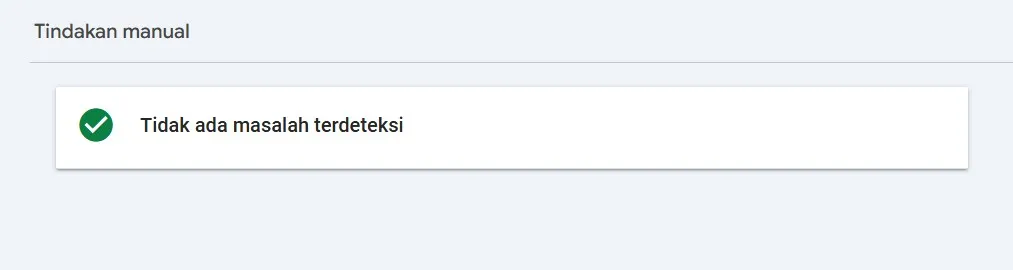
- Security issues
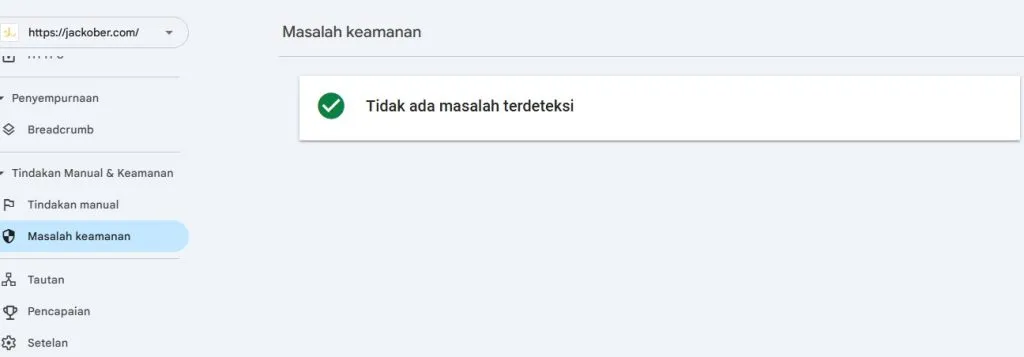
Both showed “No issues detected.”
That immediately changed the mindset.
If Google was not punishing the site, then this was not about recovery from a ban.
It was about earning selection, not removing a penalty.
Next, I verified that I wasn’t blocking Google myself:
- WordPress “Discourage search engines” setting was unchecked
- SEO plugin had posts and pages set to “index”
- robots.txt did not block
/ - XML sitemap was accessible and submitted
Everything checked out.
At this point, I stopped wasting time on technical myths.
Google could crawl the site.
Google simply did not want to index most pages.
Step 2: I Looked at the Pattern, Not Individual URLs
A mistake many site owners make is inspecting URLs one by one.
I did the opposite.
I opened the Pages / Indexing report in Search Console and looked for patterns:
- Almost all blog posts were excluded
- The dominant reasons were:
- “Discovered – currently not indexed”
- “Crawled – currently not indexed”
- The homepage was consistently indexed and refreshed
This pattern matters.
If random URLs fail → usually technical.
If almost everything fails except homepage → site-wide trust and prioritization issue.
This meant:
- fixing one article would not solve it
- publishing more of the same content would not help
- something about the site as a whole was making Google cautious
Step 3: I Audited My Content Like Google Would
This was the most uncomfortable part.
I exported a list of all posts and started reviewing them without emotional attachment.
For each article, I asked three brutal questions:
- Would this still be useful if Google didn’t exist?
- Does this article say something meaningfully different from similar posts online?
- Does it show real experience, or just safe explanations?
Many articles were not “bad”.
But they were:
- safe
- generic
- easy to replace
From Google’s perspective, those pages were not urgent to store.
That realization alone explained a lot.
Step 4: I Identified Overlapping Intent Instead of Duplicate Text
The problem was not plagiarism or copied content.
The problem was overlapping intent.
Multiple articles targeted:
- similar keywords
- similar search intent
- similar reader problems
Even if the wording was different, the value proposition was not.
Google does not need five variations of the same solution from one domain — especially from a site that is still rebuilding trust.
So instead of asking:
“Is this content unique?”
I started asking:
“Does this content deserve to exist as a separate URL?”
That mindset shift changed how I viewed my site.
Step 5: I Checked Internal Importance Signals
Next, I audited internal linking and structure.
I noticed several problems:
- Many posts were only linked from category pages
- Important articles were not linked from the homepage
- Internal links were inconsistent and often generic
From Google’s point of view, the site was saying:
“These pages exist, but none of them are especially important.”
So I wrote down which pages should matter most.
Those pages would later become:
- internal link hubs
- homepage-linked content
- trust anchors for the site
Step 6: I Audited Index Noise, Not Just Content
Another overlooked issue was index noise.
The site had many URLs that did not deserve Google’s attention:
- thin tag archives
- date archives
- attachment pages
- internal search result pages
Even if those pages were harmless, they diluted crawl focus.
I made the decision to reduce noise first, not expand content.
I noindexed or disabled:
- tag archives with little value
- date-based archives
- attachment URLs
This was not about “SEO tricks”.
It was about clarity.
I wanted Google to clearly see:
“These are the pages that matter.”
Step 7: I Published One Article With a Different Purpose
Instead of trying to fix everything at once, I changed strategy.
I published one article with a very specific goal:
- Not to rank
- Not to get traffic
- But to demonstrate experience
The article focused on:
- a real problem I faced
- what I tried
- what failed
- what finally made sense
No templates.
No keyword stuffing.
No plugin list.
That article became a reference point for the rest of the site.
Step 8: I Changed How I Used Internal Linking
After that, internal linking stopped being an afterthought.
For every important article:
- it received a clear link from the homepage or a main section
- it linked to other related articles naturally
- older articles were updated to point to it
This created a visible content cluster instead of isolated posts.
Google understands context through connections, not through volume.
Step 9: I Stopped Forcing Indexing Requests
Earlier, I had tried requesting indexing repeatedly.
It didn’t help.
After the audit, I changed behavior:
- I only requested indexing for new or heavily improved content
- I waited days instead of hours
- I let Google crawl naturally
Requesting indexing is a suggestion, not a command.
If Google doesn’t trust the site yet, requests are ignored.
Step 10: I Measured Progress Correctly
I stopped obsessing over:
- total indexed URLs
- daily fluctuations
Instead, I watched for:
- a second URL appearing in
site:search - movement from “discovered” to “crawled”
- gradual increase in impressions
When one additional page appeared, that was enough proof.
Trust was rebuilding.
Slowly, but clearly.
What This Audit Taught Me
Auditing my own WordPress site during a near-total deindex taught me several things:
- Indexing issues are often about selection, not punishment
- Google does not owe any site a full index
- Publishing more content does not equal better signals
- Experience-driven articles matter more during recovery
Most importantly, I learned that earning back Google’s trust is incremental.
You don’t fix this with 20 new posts.
You fix it by convincing Google one page at a time.
Final Thoughts
If your WordPress site is stuck with only the homepage indexed, don’t assume something is broken.
Often, nothing is broken.
Google is simply waiting for a reason to care more.
Audit your site honestly.
Reduce noise.
Improve clarity.
Publish fewer, stronger articles.
Once Google sees intent and consistency, indexing usually follows.
Not instantly.
But sustainably.
Jackober is a seasoned WordPress expert and digital strategist with a passion for empowering website owners. With years of hands-on experience in web development, SEO, and online security, Jackober delivers reliable, practical insights to help you build, secure, and optimize your WordPress site with ease.