
As a WordPress developer at Jackober, I’ve implemented countless staging environments for clients ranging from small business websites to complex e-commerce platforms. One question I’m frequently asked is, “What’s the best WordPress staging plugin?”
The answer isn’t straightforward because the “best” solution depends on your specific needs, technical comfort level, and hosting environment. In this comprehensive guide, I’ll share my professional insights on the top WordPress staging plugins available in 2025, analyze their features, performance, and suitability for different website types.
Why You Need a WordPress Staging Plugin
Before diving into specific plugin recommendations, let’s understand why staging environments are essential for WordPress website management.
The Critical Role of Staging Environments
A staging environment is a clone of your live WordPress site where you can safely test changes without affecting your actual website. Here’s why every serious WordPress site should use staging:
- Risk-Free Testing: Test theme updates, plugin changes, and code modifications without risking your live site
- Development Sandbox: Build and refine new features in isolation
- Update Safety: Verify WordPress core updates don’t break your site
- Training Ground: Train team members without fear of mistakes
- Performance Optimization: Test speed improvements before implementing them
- Troubleshooting: Diagnose and fix issues without disrupting visitors
- Client Approvals: Get client feedback on changes before making them live
The Real Cost of Not Using Staging
Many website owners underestimate the importance of staging until they experience problems:
- Downtime Costs: E-commerce sites can lose thousands in revenue from even brief outages
- SEO Damage: Broken functionality can lead to poor user experience and negative SEO impact
- Customer Trust: Visible errors damage your brand’s credibility
- Recovery Time: Fixing live site issues takes longer and creates more stress than preventing them
- Lost Work: Changes made directly to live sites can be difficult to roll back
For complex WordPress sites like those using Best WordPress Page Builders or E-commerce WordPress solutions, staging becomes even more critical due to the numerous moving parts.
Key Features to Look for in WordPress Staging Plugins
When evaluating staging plugins, consider these essential features:
Core Functionality
The basic capabilities every staging plugin should offer:
- One-Click Staging: Simple process to create staging environments
- Synchronization Options: Ability to push/pull between staging and live sites
- Selective Updates: Control over which elements get synchronized
- Database Handling: Proper management of database tables
- File Management: Appropriate handling of media and uploads
- Access Controls: Ability to restrict staging site access
Advanced Features
More sophisticated capabilities that differentiate premium options:
- Automated Backups: Automatic backups before major changes
- Scheduling: Planned deployments at specific times
- WP-CLI Support: Command-line interface for developers
- Multisite Compatibility: Support for WordPress multisite networks
- Version Control Integration: Connection with Git or other systems
- Differential Deployments: Only sync changed files for faster updates
Technical Considerations
Behind-the-scenes factors that affect performance and compatibility:
- Server Resource Usage: How efficiently the plugin uses hosting resources
- Compatibility: Works with your specific hosting environment
- Database Size Handling: Efficiently manages large databases
- Security Measures: Protects staging environment from unauthorized access
- Performance Impact: Minimal effect on live site during operations
Top WordPress Staging Plugins Compared
After extensive testing and real-world implementation, here are my detailed reviews of the leading WordPress staging plugins:
1. WP Staging
Overview: WP Staging has established itself as one of the most reliable and user-friendly staging solutions, with both free and premium versions available.
Key Features:
- Simple one-click staging site creation
- Efficient handling of large sites
- Low server resource requirements
- Staging site access restriction
- Database and file selection for cloning
- Pushing changes from staging to live (Pro)
- Automatic backup before pushing (Pro)
- Multisite support (Pro)
Strengths:
- Excellent performance even on shared hosting
- Works with virtually any hosting environment
- Minimal server resource usage
- Regular updates and active development
- Good documentation and support
Limitations:
- Free version lacks push to live functionality
- No built-in scheduling for deployments
- Limited WP-CLI support in free version
- Some advanced features require Pro version
Pricing:
- Free version available
- Pro: 89/year(1site),149/year (5 sites), $249/year (unlimited sites)
Best For: General WordPress sites, particularly those on shared or limited hosting. The free version is excellent for testing, while Pro offers complete staging workflow for serious websites.
2. BlogVault
Overview: BlogVault is a comprehensive WordPress management solution that includes robust staging capabilities alongside backup and security features.
Key Features:
- One-click staging environment creation
- Incremental synchronization for efficiency
- Selective merging of changes
- Test site access controls
- Automated daily backups
- Malware scanning and security features
- Off-site staging (independent of your hosting)
Strengths:
- Cloud-based solution that doesn’t tax your server
- Comprehensive WordPress management beyond just staging
- Excellent for large websites with complex databases
- Reliable performance across different hosting environments
- Professional support and documentation
Limitations:
- Higher price point than dedicated staging plugins
- No free version available
- Some users may not need all the additional features
- Learning curve for the comprehensive dashboard
Pricing:
- Basic: $89/year per site
- Plus: $149/year per site
- Advanced: $249/year per site
Best For: Business-critical websites where comprehensive management, security, and reliability are essential. Particularly valuable for agencies managing multiple client sites.
3. Duplicator
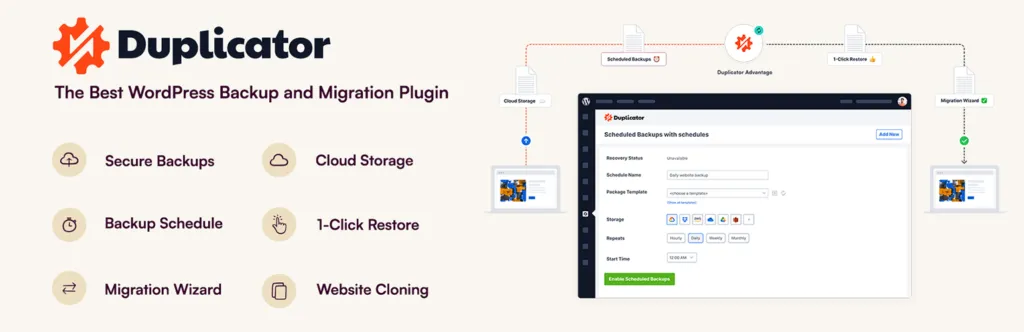
Overview: Duplicator is primarily known as a migration plugin but offers excellent staging capabilities through its cloning features.
Key Features:
- Site cloning for staging purposes
- Package creation with files and database
- Database table filtering
- Custom directory paths
- Scheduled packages (Pro)
- Cloud storage options (Pro)
- Multisite support (Pro)
Strengths:
- Highly flexible configuration options
- Works across different hosting environments
- Good for both staging and migration
- Robust handling of large sites with Pro version
- Active development and community support
Limitations:
- Not specifically designed as a staging solution
- More technical setup than dedicated staging plugins
- Less streamlined staging-to-live workflow
- Manual process requires more technical knowledge
Pricing:
- Free version available
- Pro: 69/year(3sites),119/year (15 sites), $149/year (unlimited sites)
Best For: Technically comfortable users who need both migration and staging capabilities, particularly when working across different hosts or environments.
4. WP Stagecoach
Overview: WP Stagecoach is a purpose-built staging solution focused specifically on creating and managing staging environments.
Key Features:
- One-click staging creation
- Detailed file and database comparison
- Selective updates from staging to live
- Database search and replace
- Plugin and theme management
- User access controls
- Change tracking between environments
Strengths:
- Intuitive interface designed specifically for staging
- Excellent visualization of changes between environments
- Good support and documentation
- Purpose-built for the staging workflow
- Regular updates and improvements
Limitations:
- No free version available
- Requires creating account with third-party service
- Limited integration with other WordPress tools
- Some hosting compatibility issues reported
Pricing:
- Basic: $120/year (5 sites)
- Plus: $180/year (10 sites)
- Super: $240/year (20 sites)
Best For: WordPress site owners who want a dedicated, purpose-built staging solution with excellent change tracking and management.
5. ManageWP
Overview: ManageWP is a comprehensive WordPress management platform that includes staging functionality as part of its broader feature set.
Key Features:
- One-click staging environment creation
- Push to live functionality
- Incremental site cloning
- Backup before deployment
- Complete WordPress management features
- Security monitoring and scanning
- Performance optimization tools
Strengths:
- Comprehensive solution beyond just staging
- Excellent dashboard for managing multiple sites
- Good performance across different hosting types
- Regular updates and active development
- Professional support and documentation
Limitations:
- Staging requires premium plan
- Not as specialized as dedicated staging plugins
- Some features may be unnecessary for users only needing staging
- Occasional compatibility issues with certain hosting environments
Pricing:
- Free plan available (without staging)
- Premium features including staging: $2/month per site
Best For: Agencies and WordPress professionals managing multiple websites who need staging alongside comprehensive management tools.
6. SiteGround Staging
Overview: While not a plugin but rather a hosting feature, SiteGround’s built-in staging deserves mention for its excellent integration and performance.
Key Features:
- One-click staging environment creation
- Push to live functionality
- Selective deployment of files and database
- Easy access management
- Integrated with SiteGround hosting dashboard
- No additional plugin required
- Optimized for SiteGround’s environment
Strengths:
- Seamless integration with hosting
- Excellent performance and reliability
- No additional cost beyond hosting
- Technically optimized for the specific hosting environment
- Professional support from hosting team
Limitations:
- Only available for SiteGround customers
- Limited customization compared to dedicated plugins
- No migration to different hosts
- Fewer advanced features than specialized plugins
Pricing:
- Included with SiteGround GrowBig and GoGeek plans
Best For: WordPress sites hosted on SiteGround who want a simple, integrated staging solution without additional plugins.
For quality WordPress hosting with built-in staging, check our Flywheel WordPress Hosting review, as they also offer excellent integrated staging features.
Implementation Strategies for Different Website Types
Based on my experience implementing staging for various clients at Jackober, here are tailored recommendations for different types of WordPress websites:
For Small Business and Brochure Sites
If you run a simple business website:
- Choose simplicity: WP Staging’s free version is often sufficient
- Focus on testing updates: Use staging primarily for WordPress core and plugin updates
- Consider hosting-provided staging: If available with your host, this is often the simplest solution
- Implement basic access controls: Password-protect your staging site
- Test before major content changes: Stage significant layout or content updates before going live
For E-commerce Websites
WooCommerce and other E-commerce WordPress sites have special staging considerations:
- Isolate payment gateways: Ensure Payment Gateways for WordPress are in test mode on staging
- Handle customer data carefully: Anonymize or remove customer information in staging
- Test order processes thoroughly: Verify the complete purchase flow in staging
- Consider database size: Choose solutions that handle large product databases efficiently
- Test shipping integrations: Verify Shipstation for WordPress and other shipping integrations
For e-commerce sites, premium options like BlogVault or WP Staging Pro are typically worth the investment due to their more robust handling of complex sites.
For Membership and Course Websites
Sites with user accounts and restricted content need special attention:
- Manage user data appropriately: Anonymize member information in staging
- Test registration flows: Verify the complete signup and onboarding process
- Check payment integrations: Test recurring payment functionality in sandbox mode
- Verify content restrictions: Ensure membership levels and restrictions work correctly
- Test email notifications: Confirm automated emails are properly configured
For High-Traffic Blogs and Media Sites
Content-heavy websites require efficient staging approaches:
- Handle large media libraries: Choose solutions that efficiently manage numerous images
- Test content formatting: Verify complex layouts and formatting in staging
- Check social sharing functionality: Test integration with social networks
- Verify ad placements: Ensure advertising zones display correctly
- Test performance optimizations: Use staging to implement and verify speed improvements from our WordPress Page Speed Optimization guide
For media-heavy sites, solutions that handle large file transfers efficiently (like BlogVault or WP Staging Pro) are recommended.
For Agency and Developer Workflows
Professional WordPress developers need more advanced staging capabilities:
- Implement version control: Connect staging with Git workflows
- Utilize WP-CLI integration: Automate staging processes where possible
- Set up client preview access: Create secure ways for clients to review changes
- Establish deployment protocols: Standardize the process for pushing to production
- Document environment differences: Keep clear records of staging vs. production configurations
For agencies managing multiple client sites, solutions like ManageWP or BlogVault offer valuable multi-site management features alongside staging.
Technical Considerations for WordPress Staging
Several technical factors deserve special attention when implementing staging:
Server Resource Management
Staging operations can be resource-intensive:
- CPU and Memory Usage: Cloning large sites requires significant resources
- Timing Considerations: Schedule resource-intensive operations during low-traffic periods
- Hosting Limits: Be aware of hosting resource limitations and throttling
- Database Optimization: Clean and optimize databases before cloning
- Incremental Operations: Use plugins that support incremental updates rather than full clones
Security Implementation
Protect your staging environment properly:
- Access Restrictions: Password-protect staging sites or use IP restrictions
- Search Engine Blocking: Prevent staging sites from being indexed
- Sensitive Data Handling: Remove or anonymize personal data in staging
- SSL Configuration: Consider whether to How to add SSL to WordPress staging sites
- Plugin Deactivation: Disable unnecessary plugins that might expose data
Database Handling
Database management is crucial for successful staging:
- Table Selection: Choose which tables to include in staging
- Search and Replace: Update URLs and paths in the database
- Serialized Data: Properly handle serialized data during URL replacement
- External Connections: Update API endpoints and external service connections
- User Management: Decide how to handle user accounts in staging
File System Considerations
Efficient file management impacts staging performance:
- Large Media Handling: Strategies for managing large media libraries
- Excluded Directories: Identify directories to exclude from staging
- Permissions Management: Maintain proper file permissions during cloning
- Symbolic Links: Handle symlinks appropriately during staging
- Temporary File Cleanup: Remove temporary files after staging operations
Common Staging Challenges and Solutions
Even with the best plugins, challenges can arise. Here are solutions to common issues:
White Screen After Pushing Changes
If your live site shows a white screen after deploying from staging:
- Check for PHP Errors: Review error logs for specific issues
- Verify Plugin Compatibility: Ensure all plugins are compatible with each other
- Clear Cache: Flush all caching systems after deployment
- Check Theme Functions: Verify custom theme functions work in production
- Restore from Backup: If needed, restore from the pre-deployment backup
Missing or Broken Media Files
When images or media don’t appear correctly after staging:
- Check File Paths: Verify absolute vs. relative paths in the database
- Update Permalinks: Reset permalink structure
- Verify File Permissions: Ensure correct permissions on media files
- Check for Hardcoded URLs: Look for hardcoded image URLs in content
- Regenerate Thumbnails: Use a thumbnail regeneration plugin if needed
Database Connection Errors
When staging environments have database connection issues:
- Verify Database Credentials: Check username, password, and database name
- Check Server Access: Ensure the database server allows connections
- Review Table Prefixes: Confirm correct table prefixes in wp-config.php
- Check Database User Privileges: Verify the user has necessary permissions
- Increase Timeout Values: Extend timeout settings for large databases
Excessive Staging Size
When staging environments become too large:
- Clean Unnecessary Data: Remove post revisions, spam comments, and transients
- Optimize Database Tables: Run database optimization before staging
- Exclude Unused Plugins/Themes: Don’t clone inactive plugins and themes
- Clean Media Library: Remove unused media files
- Implement Database Filtering: Use plugins that allow table selection
For more general WordPress troubleshooting, check our guide on 15 Easy Fixes for Common WordPress Issues.
Advanced Staging Workflows for Professionals
For WordPress professionals and agencies, more sophisticated staging approaches may be beneficial:
Multi-Environment Workflows
Beyond simple staging and production:
- Development → Staging → Production: Three-tier environment approach
- Feature-Specific Environments: Create separate staging environments for different features
- Client Preview Environments: Dedicated environments for client review
- QA Testing Environments: Specialized environments for quality assurance
- Performance Testing Environments: Dedicated staging for speed optimization
Automated Deployment Pipelines
Streamline the deployment process:
- Continuous Integration: Connect with CI/CD tools like Jenkins or GitHub Actions
- Automated Testing: Implement automated tests before deployment
- Scheduled Deployments: Configure off-hours automatic deployments
- Deployment Notifications: Set up alerts for team members
- Rollback Automation: Create automatic rollback triggers if issues are detected
Version Control Integration
Connect staging with Git workflows:
- Git-Based Deployments: Deploy changes based on Git commits
- Branch-Based Environments: Create environments from specific branches
- Pull Request Preview: Generate temporary environments for pull request testing
- Commit Tracking: Track which commits are deployed to which environments
- Developer Collaboration: Enable team workflow around code changes
For agencies managing internal client systems, our guide on how to build a powerful intranet with WordPress provides complementary information on secure WordPress implementations.
Case Studies: Real-World Staging Implementations
Let’s examine some actual staging plugin implementations I’ve worked on:
Case Study 1: E-commerce Site with 50,000+ Products
Client Profile: Large online retailer with WooCommerce
Challenge: Needed to test major site redesign without disrupting sales or SEO
Solution Implemented: BlogVault with custom staging workflow
Implementation Strategy:
- Created full staging environment with anonymized customer data
- Implemented selective database sync to handle large product catalog
- Developed custom script to maintain product data parity during staging
- Created specialized testing protocols for payment and shipping systems
- Implemented gradual rollout strategy for the redesign
Results:
- Successfully tested and deployed new design with zero downtime
- Prevented potential issues that would have affected checkout process
- Maintained sales throughout the transition period
- Preserved SEO rankings despite significant site changes
- Established repeatable process for future updates
Key Takeaway: For large e-commerce sites, investing in robust staging with careful data handling is essential to prevent revenue loss during updates.
Case Study 2: Membership Site with Complex User Roles
Client Profile: Professional education platform with tiered membership levels
Challenge: Needed to test new course delivery system affecting user permissions and content access
Solution Implemented: WP Staging Pro with custom access controls
Implementation Strategy:
- Created staging environment with duplicated user role structure
- Implemented test accounts for each membership level
- Developed specific testing protocols for permission boundaries
- Created database comparison tools to verify role capabilities
- Established selective push process for content and settings
Results:
- Identified and fixed three critical permission issues before launch
- Successfully deployed new course system without member disruption
- Prevented potential data access issues that could have violated privacy
- Maintained continuity of service for paying members
- Created template for future feature testing
Key Takeaway: For membership sites, thorough testing of user roles and permissions in staging prevents potentially serious access control issues in production.
Case Study 3: High-Traffic News Portal
Client Profile: News website with 500,000+ monthly visitors and frequent content updates
Challenge: Needed to implement major performance optimizations without affecting content workflow
Solution Implemented: ManageWP with custom deployment scripts
Implementation Strategy:
- Created staging environment that mirrored production traffic patterns
- Implemented performance benchmarking in staging
- Developed specialized cache testing protocols
- Created content synchronization workflow for editors during testing
- Established phased deployment approach for optimizations
Results:
- Achieved 62% improvement in page load speed
- Deployed changes with zero content disruption
- Prevented potential caching issues that would have affected breaking news
- Improved Core Web Vitals scores significantly
- Established performance testing as standard procedure
Key Takeaway: For content-heavy sites with frequent updates, staging environments must accommodate ongoing content work while testing technical changes.
Hosting-Provided Staging vs. Plugin-Based Solutions
Many WordPress hosting providers now offer built-in staging functionality. Let’s compare these with plugin-based approaches:
Hosting-Provided Staging Advantages
- Optimized Performance: Typically better integrated with the hosting environment
- Server-Level Operations: Often more efficient for large sites
- Technical Support: Direct support from the hosting provider
- Simplified Workflow: Usually offers one-click operations
- No Additional Cost: Included with qualifying hosting plans
Plugin-Based Staging Advantages
- Hosting Flexibility: Works across different hosting providers
- Customization Options: Often offers more detailed control
- Feature Depth: Specialized plugins may offer more advanced features
- Migration Capability: Can often move between different hosts
- Consistent Workflow: Same process regardless of hosting changes
Making the Right Choice
Consider these factors when deciding:
- Current Hosting: If your host offers quality staging (like Flywheel WordPress Hosting), it’s often the simplest option
- Site Complexity: More complex sites may benefit from specialized plugins
- Technical Comfort: Hosting-provided staging typically requires less technical knowledge
- Budget Considerations: Weigh the cost of premium plugins against hosting upgrades
- Future Plans: Consider whether you might change hosts in the future
Best Practices for WordPress Staging
Regardless of which staging solution you choose, following these best practices will help ensure success:
Planning Your Staging Strategy
- Document Environment Differences: Keep clear records of staging vs. production configurations
- Establish Clear Workflows: Define who can make changes to staging and how they get approved
- Create Testing Protocols: Develop standardized testing procedures for common updates
- Plan for Data Handling: Decide how to handle sensitive data in staging
- Set Up Monitoring: Implement monitoring on both staging and production
Maintaining Staging Hygiene
- Regular Cleanup: Remove old staging sites when no longer needed
- Database Optimization: Regularly optimize staging databases
- Synchronization Schedule: Establish regular syncing between production and staging
- Access Control Reviews: Periodically review who has access to staging environments
- Plugin Audits: Regularly review and remove unnecessary plugins in staging
Effective Testing Procedures
- Cross-Browser Testing: Verify changes across different browsers
- Mobile Responsiveness: Test on various device sizes
- User Role Testing: Check functionality for different user types
- Form Submission Verification: Test all forms and interactive elements
- Performance Benchmarking: Compare performance metrics before and after changes
Documentation and Communication
- Change Logs: Maintain detailed records of staging changes
- Deployment Notes: Document what was pushed to production and when
- Team Notifications: Keep team members informed about staging updates
- Client Communication: Provide clear instructions for clients reviewing staging sites
- Issue Tracking: Maintain a system for tracking identified issues and their resolution
Future Trends in WordPress Staging
The WordPress staging landscape continues to evolve. Here are emerging trends to watch:
Container-Based Staging
Docker and container technology is changing staging approaches:
- Isolated Environments: Complete environment isolation through containerization
- Configuration as Code: Environment definitions in code
- Rapid Provisioning: Near-instant environment creation
- Perfect Parity: Identical environments from development to production
- Resource Efficiency: More efficient use of server resources
AI-Assisted Testing
Artificial intelligence is beginning to impact testing workflows:
- Automated Visual Regression: AI detection of visual changes
- Intelligent Test Generation: Automatically created test scenarios
- Anomaly Detection: Identifying unusual behavior or performance
- Content Quality Checks: Automated review of content changes
- Predictive Issue Identification: Flagging potential problems before they occur
Collaborative Staging
Staging is becoming more team-oriented:
- Comment and Feedback Tools: Integrated review capabilities
- Change Tracking: Detailed tracking of who made what changes
- Approval Workflows: Structured processes for reviewing and approving changes
- Role-Based Access: More granular control over who can make different types of changes
- Client Collaboration Tools: Better interfaces for client review and feedback
Conclusion: Selecting the Right WordPress Staging Solution
After analyzing the leading WordPress staging plugins and considering various use cases, it’s clear that the “best” solution depends on your specific needs:
- For most WordPress sites, WP Staging offers an excellent balance of features, performance, and price. The free version is sufficient for basic needs, while the Pro version provides a complete staging workflow.
- For business-critical websites where reliability is paramount, BlogVault’s comprehensive approach offers peace of mind with its robust backup integration and off-site staging.
- For technically comfortable users who also need migration capabilities, Duplicator provides excellent flexibility and control.
- For WordPress professionals managing multiple sites, ManageWP offers a compelling combination of staging and comprehensive site management.
- For SiteGround customers, the built-in staging functionality provides a seamless, integrated solution without additional plugins.
The most important thing is to implement some form of staging—even a basic solution is far better than making changes directly to your live site. As your website grows in complexity and importance, you can graduate to more sophisticated staging solutions that match your evolving needs.
For assistance implementing the right staging solution for your WordPress site, our team at Jackober offers expert WordPress development services. As a WordPress Expert for Hire, I can help you select and configure the optimal staging workflow for your specific requirements.
Remember that a proper staging environment is not just a technical tool but a critical business asset that protects your website from downtime, preserves your SEO rankings, and ensures a consistently positive experience for your visitors.
FAQ: WordPress Staging Plugins
Q: Will staging plugins slow down my live website?
A: Quality staging plugins have minimal impact on your live site’s performance. The resource-intensive operations occur during the creation of the staging site and when pushing changes. Some plugins like BlogVault perform these operations on their servers rather than yours. For optimal performance, consider scheduling staging operations during low-traffic periods and following our WordPress Page Speed Optimization guidelines.
Q: Can I create multiple staging environments for different purposes?
A: Yes, many premium staging plugins support multiple staging environments. This is useful for testing different features simultaneously or maintaining environments for various purposes (e.g., content staging, development staging, client preview). WP Staging Pro, BlogVault, and ManageWP all support multiple staging sites, though there may be limits depending on your plan.
Q: How do I handle forms and email functionality in staging?
A: To prevent staging forms from sending emails to real users or customers, you should either: 1) Disable email functionality in staging, 2) Redirect emails to test accounts, or 3) Install a plugin like “Email Log” to capture emails without sending them. For contact forms, consider adding a prominent notice on staging forms indicating they’re in a test environment.
Q: Are staging sites publicly accessible?
A: By default, most staging plugins create sites that are technically accessible to anyone with the URL. However, good staging plugins offer protection options including password protection, IP restrictions, or robots.txt directives to prevent search engine indexing. Always secure your staging site to prevent unauthorized access and avoid potential SEO issues from duplicate content.
Q: How do I handle large media libraries in staging?
A: For sites with extensive media libraries, consider: 1) Using a staging plugin with incremental file copying, 2) Selectively excluding unnecessary media files, 3) Implementing image optimization techniques from our How to Optimize Images for WordPress guide before staging, or 4) Using a cloud-based staging solution like BlogVault that handles large files more efficiently.
Q: Can I use staging plugins with WordPress Multisite?
A: Yes, but with caveats. Some staging plugins like WP Staging Pro and Duplicator Pro specifically support WordPress Multisite networks. Others may have limited functionality or require special configuration. Always verify multisite compatibility before purchasing, and consider testing with a single subsite first before attempting to stage an entire network.
Q: Do I need a Domain Name for my staging site?
A: No, you don’t need a separate domain name for staging. Most staging plugins create your staging site as a subdirectory of your main site (e.g., yourdomain.com/staging) or as a subdomain (e.g., staging.yourdomain.com). This approach simplifies setup while keeping staging environments properly separated from production.