
As a WordPress developer and SEO specialist at Jackober, I’ve helped hundreds of clients navigate the website building process. One question I hear consistently is: “How easy is it to build a website with WordPress?”
It’s a fair question, especially given WordPress’s reputation as a user-friendly platform that powers over 43% of all websites on the internet. But the answer isn’t as straightforward as a simple “easy” or “difficult.” The truth depends on several factors, including your technical background, the complexity of your website needs, and the approach you take.
In this comprehensive guide, I’ll break down the reality of building a WordPress website in 2025 – from absolute beginner to advanced implementation – so you can understand exactly what to expect and how to succeed with your WordPress project.
Understanding WordPress: The Basics
Before we dive into the ease of building a WordPress website, let’s clarify what WordPress actually is.
What is WordPress?
WordPress is a content management system (CMS) that allows you to create and manage digital content. It started as a blogging platform in 2003 but has evolved into a versatile system capable of powering everything from simple blogs to complex e-commerce stores, membership sites, and enterprise-level websites.
WordPress comes in two forms:
- WordPress.org (self-hosted): This is the free, open-source software that you install on your own web hosting service. It offers complete control and flexibility.
- WordPress.com: A commercial service that hosts your WordPress site for you with varying levels of features based on your subscription plan.
When most people talk about building a WordPress website, they’re referring to the self-hosted WordPress.org version, which is what we’ll focus on in this article.
The WordPress Ecosystem
The WordPress ecosystem consists of several key components:
- Core software: The base WordPress installation
- Themes: Templates that control the appearance of your website
- Plugins: Extensions that add functionality to your website
- Widgets: Content blocks that can be placed in designated areas
- Menus: Navigation systems for your site
- Media library: Storage for images, videos, and documents
Understanding how these components work together is essential to gauging how easy (or challenging) building your WordPress website will be.
The WordPress Website Building Process: Step by Step
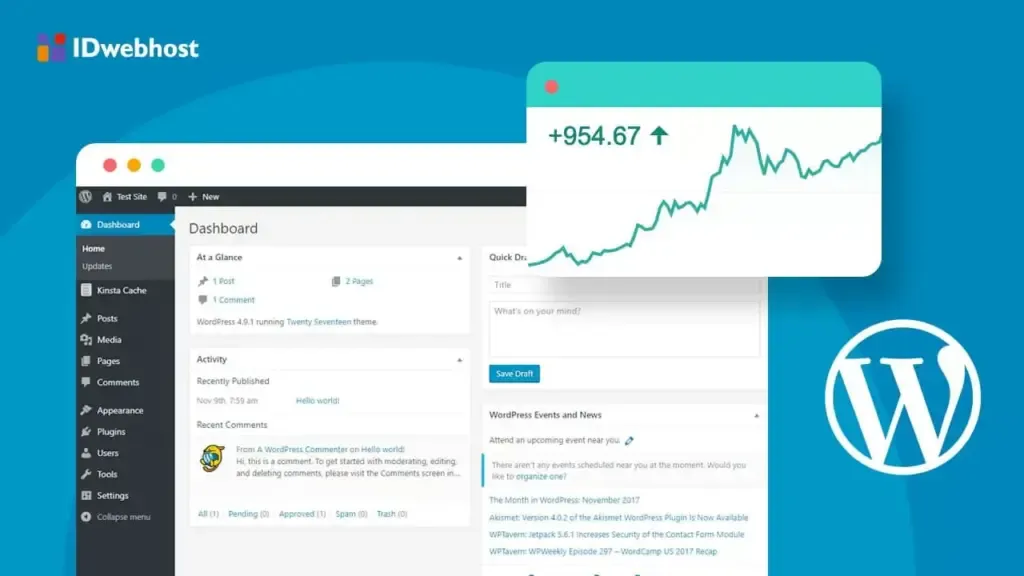
Let’s break down the WordPress website building process into manageable steps and assess the difficulty level of each.
Step 1: Domain Name and Hosting Setup
Difficulty Level: Easy to Moderate
Before you can build a WordPress website, you need two fundamental components:
- Domain name: Your website’s address (e.g., yoursite.com)
- Web hosting: Server space where your website files will live
WordPress itself doesn’t provide domain names, as explained in our guide about Domain Name considerations. You’ll need to purchase one from a domain registrar, typically costing $10-15 per year.
For hosting, you have numerous options ranging from budget shared hosting (around 5/month)tomanagedWordPresshostinglike[FlywheelWordPressHosting](https://jackober.com/flywheel−wordpress−hosting−expert−review/)(startingat
15/month).
What makes this easy:
- Many hosting providers offer one-click WordPress installation
- Domain registration is a straightforward process
- Some hosts offer free domain names for the first year
Potential challenges:
- Understanding DNS settings if you purchase your domain separately from hosting
- Choosing the right hosting plan for your needs
- Setting up SSL certificates for secure browsing (though our guide on How to add SSL to WordPress makes this process clearer)
Step 2: Installing WordPress
Difficulty Level: Very Easy
Once you have hosting, installing WordPress is typically straightforward.
What makes this easy:
- Most hosting providers offer “one-click” WordPress installation
- The famous “5-minute installation” if done manually
- Clear installation wizards guide you through the process
Potential challenges:
- Some budget hosts may have older control panels that are less intuitive
- Manual installation requires basic understanding of database creation
- Initial configuration settings might be confusing for absolute beginners
Step 3: Choosing and Installing a Theme
Difficulty Level: Easy to Moderate
Themes determine how your WordPress website looks. WordPress comes with several default themes, but most users opt for custom themes to achieve a unique look.
What makes this easy:
- Thousands of free and premium themes are available
- Installing themes takes just a few clicks
- Many themes come with demo content you can import
- Our collection of Free WordPress Themes offers excellent starting points
Potential challenges:
- The overwhelming number of options can cause decision paralysis
- Quality varies significantly between themes
- Some themes have steep learning curves
- Customizing themes beyond basic settings may require technical knowledge
Step 4: Essential Plugin Installation
Difficulty Level: Easy
Plugins extend WordPress functionality, and certain essential plugins should be installed on most websites.
What makes this easy:
- Installing plugins requires just a few clicks
- WordPress has a built-in plugin directory
- Many plugins have setup wizards
Potential challenges:
- Determining which plugins are necessary vs. excessive
- Plugin conflicts can occur
- Security risks from poorly maintained plugins
- Performance impact if too many plugins are installed
Step 5: Basic Website Configuration
Difficulty Level: Easy
Before adding content, you’ll need to configure some basic settings.
What makes this easy:
- Settings are organized in intuitive categories
- Most configuration is done through simple forms
- Changes take effect immediately
Potential challenges:
- Understanding the implications of certain settings
- Permalink structure decisions can affect SEO
- User role management can be confusing for beginners
Step 6: Creating Core Pages and Navigation
Difficulty Level: Easy
Every website needs certain core pages like Home, About, Contact, etc.
What makes this easy:
- The WordPress page editor is intuitive
- Creating navigation menus is a drag-and-drop process
- Contact forms can be created with plugins like Contact Form 7 or WPForms
Potential challenges:
- Structuring content effectively requires planning
- Creating compelling copy is a skill in itself
- Advanced page layouts may require additional tools
Step 7: Customizing Design and Layout
Difficulty Level: Easy to Difficult (depends on approach)
This is where the difficulty level can vary dramatically based on your approach and needs.
What makes this easy:
- Modern themes offer customization options in the WordPress Customizer
- Best WordPress Page Builders like Elementor or Beaver Builder provide drag-and-drop design
- Template libraries offer pre-designed layouts
Potential challenges:
- Achieving a truly unique design may require custom code
- Responsive design considerations for mobile devices
- Maintaining brand consistency across pages
- Performance implications of visual builders
Step 8: Adding Functionality
Difficulty Level: Moderate to Difficult
Depending on your website’s purpose, you may need additional functionality beyond basic content presentation.
What makes this easy:
- Plugins exist for most common functionality needs
- Many plugins have user-friendly interfaces
- Integration between popular plugins is often seamless
Potential challenges:
- Complex functionality like e-commerce requires significant setup
- Custom functionality may require development expertise
- Integration between systems can become complex
- Performance optimization becomes more important
For e-commerce websites specifically, our guide on E-commerce WordPress plugins provides detailed information on implementation.
Step 9: Content Creation and Management
Difficulty Level: Easy (technically), Moderate (practically)
Creating and managing content in WordPress is technically straightforward but requires planning and consistency.
What makes this easy:
- Intuitive visual editor with familiar word processor-like interface
- Media management is streamlined
- Content can be scheduled for future publication
- Categories and tags help organize content
Potential challenges:
- Creating engaging content requires skill
- Maintaining consistency across a large website
- SEO considerations for content
- Media optimization for performance
Step 10: Testing and Launch
Difficulty Level: Moderate
Before launching your website, thorough testing is essential.
What makes this easy:
- WordPress has a built-in preview function
- Staging environments are available with many hosting providers
- Basic functionality testing is straightforward
Potential challenges:
- Cross-browser and device testing can be time-consuming
- Performance optimization may require technical knowledge
- Security hardening beyond basics requires expertise
- Migration from development to production can be complex
WordPress Website Building: Different Approaches and Their Ease of Use
The difficulty of building a WordPress website varies significantly based on the approach you take. Let’s examine different methods and their accessibility levels.
Approach 1: Using Default Editor with Pre-made Themes
Difficulty Level: Very Easy
Time Investment: A few hours to a few days
This is the most straightforward approach, suitable for beginners.
Process:
- Install WordPress
- Choose a quality pre-made theme
- Use the default WordPress block editor (Gutenberg)
- Add content using pre-designed blocks
- Install essential plugins for functionality
Pros:
- Fastest route to a functional website
- Minimal technical knowledge required
- Good performance with quality themes
- Easy content management
Cons:
- Limited design customization
- Your site may look similar to others using the same theme
- Advanced functionality may be limited
- Some features may require plugin additions
Approach 2: Using Page Builders
Difficulty Level: Easy to Moderate
Time Investment: A few days to a few weeks
Page builders provide drag-and-drop interfaces for creating custom layouts without coding.
Process:
- Install WordPress
- Install a page builder plugin (Elementor, Beaver Builder, Divi, etc.)
- Choose a compatible theme (or the page builder’s theme)
- Design pages using the builder’s interface
- Add functionality with compatible plugins
Pros:
- Visual editing with real-time preview
- Extensive design flexibility without coding
- Pre-designed templates and elements
- Intuitive interfaces for beginners
Cons:
- Can impact website performance if not optimized
- Learning curve for advanced features
- Potential plugin conflicts
- May create dependency on the page builder
For an in-depth comparison of options, see our guide on Best WordPress Page Builders.
Approach 3: Custom Development
Difficulty Level: Difficult
Time Investment: Weeks to months
For unique designs and functionality, custom development may be necessary.
Process:
- Design website mockups
- Develop custom theme or child theme
- Write custom functionality or plugins
- Implement advanced integrations
- Optimize for performance and security
Pros:
- Complete control over design and functionality
- Potentially better performance with lean code
- Unique website that stands out from templates
- Customized user experience
Cons:
- Requires coding knowledge (HTML, CSS, PHP, JavaScript)
- Significantly higher time investment
- Higher cost if hiring a WordPress Expert for Hire
- Ongoing maintenance responsibility
Approach 4: Hybrid Approach
Difficulty Level: Moderate
Time Investment: A week to a few weeks
Many successful WordPress websites use a hybrid approach, combining pre-built solutions with customizations.
Process:
- Start with a quality theme that matches your design direction
- Use a page builder for complex layouts
- Install plugins for core functionality
- Add custom code for specific features or design elements
- Optimize the final product
Pros:
- Balance between customization and efficiency
- Faster than pure custom development
- More unique than template-only sites
- Scalable approach that can evolve
Cons:
- Requires some technical knowledge
- Potential conflicts between components
- May require professional assistance for certain elements
- Careful planning needed to maintain performance
Factors That Affect WordPress Website Building Difficulty
Several factors can make WordPress website building either easier or more challenging:
1. Website Complexity
Simple blogs or brochure sites: Very easy to build with WordPress
Business websites with custom functionality: Moderate difficulty
E-commerce stores: Moderate to difficult, depending on scale
Membership sites: Moderate to difficult
Online courses or LMS: Difficult
Custom web applications: Very difficult
2. Design Requirements
Using a theme as-is: Very easy
Minor theme customizations: Easy
Significant design customizations: Moderate to difficult
Completely custom design: Difficult, requires development skills
3. Technical Background
No technical experience: Will find basic WordPress relatively easy, but customization challenging
HTML/CSS knowledge: Can handle moderate theme customizations
PHP knowledge: Can develop custom functionality and themes
Full-stack development experience: Can build highly customized WordPress sites
4. Budget Constraints
With WordPress, there’s often a trade-off between money and time/skill:
Low budget: Requires more DIY work, increasing difficulty
Moderate budget: Can purchase premium themes, plugins, and some assistance
Higher budget: Can hire experts to handle complex aspects
5. Time Constraints
Building a quality WordPress website takes time:
Basic site: 1-2 days with a template
Small business site: 1-2 weeks with customization
Complex site: Several weeks to months
Rushing the process invariably increases difficulty and potentially decreases quality.
Common Challenges When Building WordPress Websites
Even with WordPress’s user-friendly reputation, certain challenges commonly arise:
Technical Hurdles
- Plugin conflicts: When plugins don’t work well together
- Theme compatibility issues: Especially with page builders or complex plugins
- Server configuration problems: Particularly on budget hosting
- Performance optimization: Balancing functionality with speed
- Mobile responsiveness: Ensuring proper display across devices
For addressing performance issues specifically, our WordPress Page Speed Optimization guide provides valuable insights.
Design Challenges
- Achieving a professional look: Moving beyond the “template look”
- Consistent branding: Maintaining visual coherence throughout the site
- Custom layouts: Creating unique page structures
- Typography and spacing: Fine-tuning design details
- Visual hierarchy: Guiding visitors’ attention effectively
Content Management Challenges
- Content organization: Structuring information logically
- Media optimization: Balancing quality and performance
- Content creation: Developing engaging, relevant content
- SEO implementation: Optimizing for search engines
- Revision management: Tracking and controlling changes
Functional Challenges
- Form implementation: Creating and managing contact forms
- E-commerce setup: Configuring products, payments, and shipping
- User registration: Managing member accounts and access
- Integration with external services: CRMs, email marketing, etc.
- Automation setup: Workflows for notifications and actions
For e-commerce sites specifically, implementing secure Payment Gateways for WordPress can be particularly challenging.
Making WordPress Easier: Tools and Resources
Fortunately, numerous tools and resources can simplify the WordPress website building process:
Managed WordPress Hosting
Services like Flywheel WordPress Hosting handle technical aspects like:
- WordPress installation and updates
- Security management
- Performance optimization
- Backups and restoration
- Developer tools like staging environments
Premium Themes
Quality premium themes often include:
- Professional designs
- Comprehensive documentation
- Setup wizards
- Premium support
- Regular updates
Page Builders
Modern page builders provide:
- Visual editing interfaces
- Pre-designed templates
- Responsive design controls
- Time-saving elements
- Integration with popular plugins
Learning Resources
For those willing to learn, valuable resources include:
- WordPress.org documentation
- Video tutorials on platforms like YouTube
- Online courses on Udemy, LinkedIn Learning, etc.
- WordPress blogs and communities
- Local WordPress meetups and WordCamps
Professional Support
When challenges arise, professional support options include:
- Theme and plugin documentation
- WordPress forums
- Paid support services
- Hiring a WordPress Expert for Hire for specific tasks
- Maintenance services for ongoing support
WordPress vs. Other Website Building Platforms: Ease of Use Comparison
How does WordPress compare to other popular website building platforms in terms of ease of use?
WordPress vs. Wix/Squarespace
Wix/Squarespace advantages:
- True drag-and-drop editing
- All-in-one solutions (hosting included)
- Curated design options
- No technical maintenance required
WordPress advantages:
- Greater flexibility and customization
- More scalable for growing websites
- Full ownership and control
- More affordable for larger sites
- Extensive plugin ecosystem
For a detailed comparison with another popular platform, see our Webflow vs WordPress analysis.
WordPress vs. Shopify (for e-commerce)
Shopify advantages:
- Purpose-built for e-commerce
- Integrated payment processing
- Streamlined product management
- Built-in sales tools
WordPress (with WooCommerce) advantages:
- Lower transaction fees
- More design flexibility
- Content marketing capabilities
- Ownership of platform and data
WordPress vs. Custom-Coded Websites
Custom-coded website advantages:
- Potentially faster performance
- No unnecessary code or features
- Complete design freedom
- Tailored functionality
WordPress advantages:
- Much faster development time
- Content management system built-in
- Extensive plugin ecosystem
- Easier for non-developers to maintain
Real-World Scenarios: WordPress Difficulty Assessment
Let’s examine how easy (or difficult) WordPress is for different real-world scenarios:
Scenario 1: Personal Blog
User Profile: Beginner with no technical experience
Website Needs: Simple blog with posts, pages, and comments
Difficulty Level: Very Easy
Recommended Approach: Default WordPress with a quality blog theme
Time Estimate: 1-2 days
Key Challenges: Learning the basics of content management
Scenario 2: Small Business Website
User Profile: Business owner with basic computer skills
Website Needs: Home, About, Services, Contact pages with lead generation
Difficulty Level: Easy to Moderate
Recommended Approach: Quality theme with a page builder
Time Estimate: 1-2 weeks
Key Challenges: Creating professional content and effective contact forms
Scenario 3: Professional Portfolio
User Profile: Creative professional with some technical aptitude
Website Needs: Portfolio showcase with filterable projects
Difficulty Level: Moderate
Recommended Approach: Portfolio theme with customization
Time Estimate: 2-3 weeks
Key Challenges: Organizing portfolio items effectively, optimizing images
Scenario 4: E-commerce Store
User Profile: Store owner with moderate technical skills
Website Needs: Product catalog, shopping cart, payment processing
Difficulty Level: Moderate to Difficult
Recommended Approach: WooCommerce with a compatible theme
Time Estimate: 3-8 weeks
Key Challenges: Product setup, payment gateway configuration, shipping rules
Scenario 5: Membership Website
User Profile: Organization leader with limited technical experience
Website Needs: Member registration, protected content, forums
Difficulty Level: Difficult
Recommended Approach: Membership plugin with professional assistance
Time Estimate: 6-12 weeks
Key Challenges: User management, access control, integration complexity
When to DIY and When to Hire a Professional
Based on my experience at Jackober, here’s my guidance on when to build your WordPress website yourself versus when to seek professional help:
Consider DIY When:
- You have a simple website need (personal blog, basic business site)
- You have time to learn and implement
- You have some design sense or are using templates
- Your budget is limited
- You enjoy learning new technical skills
Consider Hiring a Professional When:
- You need a complex or highly customized website
- Your time is better spent on your core business
- You need specific functionality beyond basic plugins
- Your website is critical to your business success
- You want ongoing support and maintenance
Many successful websites use a hybrid approach, where the site owner handles content and basic management, while professionals implement complex technical elements or custom design.
For support after your site is built, implementing a WordPress Support Ticket system can help manage ongoing maintenance and updates.
The Truth About “Easy” WordPress Website Building
After working with hundreds of WordPress websites, I’ve observed some important truths about the “ease” of building with WordPress:
Truth #1: The Basics Are Genuinely Easy
For simple websites, WordPress truly is easy to use. The core functions of:
- Installing WordPress
- Adding pages and posts
- Uploading images
- Managing comments
- Publishing content
These are all straightforward and well-documented.
Truth #2: The Learning Curve Is Progressive
WordPress allows you to start simple and gradually learn more advanced techniques. You don’t need to understand everything at once.
Truth #3: Templates Save Tremendous Time
Using quality themes and templates can reduce design time from weeks to hours, making WordPress significantly easier for non-designers.
Truth #4: Plugins Extend Functionality Without Coding
The plugin ecosystem is WordPress’s greatest strength for non-technical users, allowing complex functionality without development skills.
Truth #5: Customization Gets Progressively More Difficult
As you move beyond templates and basic settings, the difficulty increases exponentially. Small customizations might be simple, but comprehensive custom designs require significant skill.
Truth #6: There’s Usually a Trade-Off Between Easy and Optimal
The easiest solution isn’t always the best for performance, security, or long-term maintenance. This is particularly true with page builders and extensive plugin usage.
Truth #7: WordPress Is Easier With a Clear Plan
Many difficulties arise from changing direction mid-project. Starting with a clear site plan significantly reduces challenges.
Conclusion: Is WordPress Easy Enough for You?
So, how easy is it to build a website with WordPress? The answer depends on your specific situation, but here’s my summary based on years of professional WordPress development:
WordPress is genuinely easy for:
- Basic websites with standard functionality
- Users willing to learn the fundamentals
- Projects where templates meet design needs
- Content-focused websites like blogs and simple business sites
WordPress becomes moderately challenging for:
- Custom designs beyond template modifications
- E-commerce implementations
- Membership or community sites
- Integration with external systems
- Performance optimization for high-traffic sites
WordPress requires professional skills for:
- Fully custom designs and functionality
- Complex e-commerce with specific requirements
- Enterprise-level implementations
- Custom application development
- Advanced security hardening
The beauty of WordPress lies in its flexibility—you can start with an easy implementation and progressively enhance your site as your skills grow or your business needs evolve.
For those concerned about the learning curve, remember that WordPress’s massive community means help is always available, whether through online resources or professional services from experts like our team at Jackober.
Ultimately, WordPress strikes an excellent balance between accessibility for beginners and power for professionals, which explains its enduring popularity across such a wide range of websites—from personal blogs to Fortune 500 company sites.
Whether you decide to build your WordPress website yourself or seek professional assistance, understanding the platform’s capabilities and limitations will help you set realistic expectations and achieve the best results for your specific needs.