

As a WordPress developer at Jackober, I’ve created countless high-converting landing pages for clients across various industries. Landing pages are essential marketing tools designed with a single focus: converting visitors into leads or customers. Unlike regular website pages, landing pages eliminate distractions and guide visitors toward a specific action, whether that’s signing up for a newsletter, downloading a resource, or making a purchase.
In this expert guide, I’ll walk you through the process of creating effective landing pages in WordPress—from planning and design to implementation and optimization. Whether you’re a beginner or an experienced WordPress user, you’ll find actionable advice and technical guidance to create landing pages that drive results.
Understanding Landing Pages: Purpose and Best Practices
Before diving into the technical aspects, let’s establish what makes a successful landing page:
What Is a Landing Page?
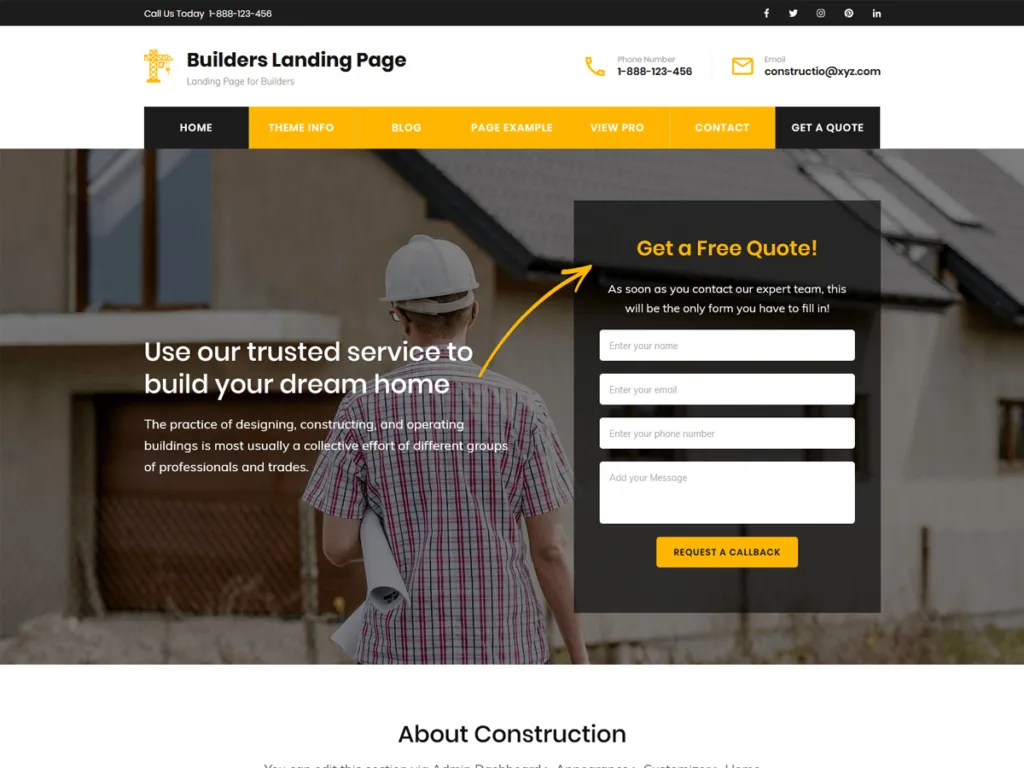
A landing page is a standalone web page designed specifically for a marketing or advertising campaign. Unlike typical website pages, landing pages have a singular objective—known as a call to action (CTA)—and are designed to minimize distractions that might prevent visitors from completing that action.
Key Elements of Effective Landing Pages
The most successful landing pages typically include:
- Compelling Headline: Clear, benefit-driven copy that immediately captures attention
- Persuasive Subheadline: Supports the headline with additional context
- Engaging Hero Image/Video: Visual content that reinforces your message
- Concise Benefit-Driven Copy: Text that focuses on how your offer solves problems
- Social Proof: Testimonials, reviews, client logos, or case studies
- Clear Call to Action: Prominent button or form with action-oriented text
- Minimal Navigation: Limited or no menu links to keep visitors focused
- Trust Indicators: Security badges, guarantees, or privacy statements
- Responsive Design: Perfect functionality across all devices
- Fast Loading Speed: Optimized performance to prevent abandonment
Common Landing Page Types
Different objectives require different landing page approaches:
- Lead Generation Pages: Focused on collecting contact information via forms
- Click-Through Pages: Designed to warm up visitors for a purchase decision
- Sales Pages: Long-form content aimed at direct product or service sales
- Squeeze Pages: Minimalist pages focused solely on email collection
- Thank You Pages: Confirmation pages that appear after form submission
- Webinar Registration Pages: Designed to promote and register users for events
- Product Launch Pages: Building anticipation for upcoming products or services
- Contest/Giveaway Pages: Promoting special offers or competitions
Methods for Creating WordPress Landing Pages
WordPress offers several approaches to landing page creation, each with different levels of complexity and flexibility:
Method 1: Using a Dedicated Landing Page Plugin
Specialized plugins provide the easiest path to professional landing pages:
Pros:
- Purpose-built templates designed for conversion
- Drag-and-drop interfaces requiring no coding
- Built-in A/B testing and analytics
- Form integration and lead management
- Conversion-focused elements and modules
Cons:
- Additional cost for premium plugins
- Potential plugin conflicts or performance impact
- Sometimes limited integration with your existing theme
- Learning curve for plugin-specific interfaces
Method 2: Using WordPress Page Builders
Page builders offer flexibility for creating custom landing pages:
Pros:
- Visual drag-and-drop editing
- Extensive customization options
- Works within your existing WordPress setup
- One tool for both landing pages and regular content
- Large template libraries to start from
Cons:
- Broader tools not specifically optimized for landing pages
- May require more manual optimization for conversions
- Sometimes generate bloated code affecting performance
- Steeper learning curve for advanced features
Method 3: Using Theme-Based Landing Page Templates
Many WordPress themes include landing page templates:
Pros:
- Seamless visual integration with your site
- No additional plugins required
- Often optimized for your specific theme
- Minimal performance impact
- No extra costs beyond your theme
Cons:
- Limited customization compared to dedicated tools
- Fewer landing page-specific features
- Design constraints based on theme framework
- May require custom CSS for advanced styling
Method 4: Creating Custom Landing Pages from Scratch
For complete control, custom development offers unlimited possibilities:
Pros:
- Total design freedom and unique appearance
- Optimized code for maximum performance
- No dependencies on third-party tools
- Complete control over functionality
- No limitations on creative implementation
Cons:
- Requires coding knowledge (HTML, CSS, PHP)
- Significantly more time-intensive
- No templates or pre-built components
- Manual implementation of all features
- More difficult to update or maintain
Step-by-Step Guide to Creating a Landing Page with Page Builders
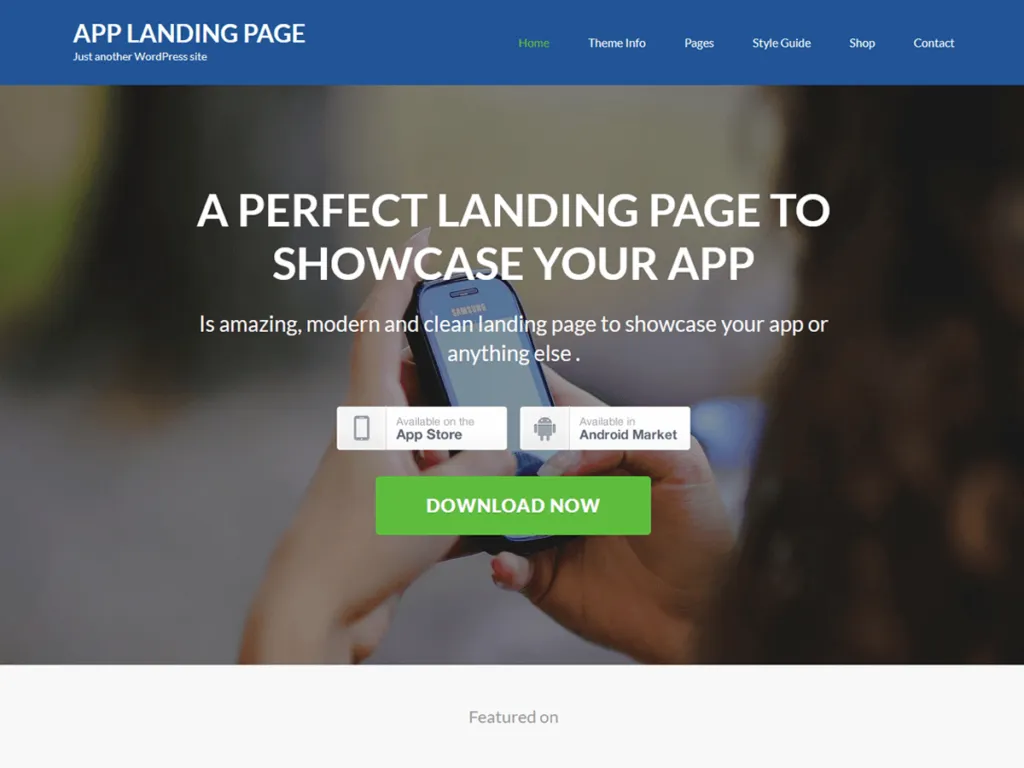
Let’s walk through creating a landing page using WordPress page builders, which offer the best balance of flexibility and ease of use for most users:
Step 1: Choose and Install a Page Builder
The Best WordPress Page Builders for landing pages include:
- Elementor: Powerful visual editor with excellent landing page capabilities
- Divi Builder: Feature-rich builder with extensive design options
- Beaver Builder: User-friendly builder with clean code output
- Visual Composer: Versatile builder with many elements
- Thrive Architect: Conversion-focused builder specifically for landing pages
For this guide, we’ll use Elementor, one of the most popular and powerful options:
- Go to Plugins → Add New in your WordPress dashboard
- Search for “Elementor Page Builder”
- Click “Install Now” and then “Activate”
- For more features, consider Elementor Pro for additional landing page templates and elements
Step 2: Plan Your Landing Page Structure
Before building, outline your landing page structure:
- Define Your Goal: What specific action do you want visitors to take?
- Identify Key Sections: Typically including:
- Hero section with headline and primary CTA
- Benefits or features section
- Social proof/testimonials
- Secondary CTA or form
- FAQ section (if needed)
- Final CTA and footer
- Gather Assets: Prepare:
- Copy (headlines, body text, CTA text)
- Images and videos
- Testimonials and social proof
- Brand elements (logo, colors, fonts)
Step 3: Create a New Page for Your Landing Page
Set up the foundation for your landing page:
- Go to Pages → Add New in your WordPress dashboard
- Give your page a title that reflects its purpose
- Click the “Edit with Elementor” button
- In Elementor, click the gear icon to access Page Settings
- Under “Page Layout,” select “Elementor Canvas” to remove header, footer, and sidebar
- Save these settings
Step 4: Select a Landing Page Template (Optional)
Start with a pre-designed template to save time:
- Click the folder icon in the Elementor panel
- Browse the “Pages” or “Landing Pages” category
- Preview and select a template that matches your needs
- Click “Insert” to add the template to your page
- You can also import templates from Elementor’s template library or third-party sources
Step 5: Customize the Hero Section
Create an impactful first impression:
- Add or edit the headline to clearly communicate your value proposition
- Craft a compelling subheadline that supports your main message
- Add a high-quality hero image or video that resonates with your audience
- Implement a prominent primary CTA button or form
- Ensure this section is visible without scrolling on most devices
For engaging visual effects, consider implementing How to Create Scroll-Over Interactive Elements in WordPress techniques in your hero section.
Step 6: Build Out Content Sections
Add the main body content of your landing page:
- Benefits/Features Section:
- Create clear benefit-driven headings
- Add supporting icons or images
- Write concise descriptions focusing on value
- Organize in columns, tabs, or accordion layouts for readability
- Social Proof Section:
- Add testimonials with photos and names for credibility
- Include client logos if you have brand-name customers
- Incorporate ratings, reviews, or case study snippets
- Consider adding video testimonials for stronger impact
- Product/Service Details:
- Provide specific information about your offering
- Use images, videos, or interactive elements to showcase features
- Address potential objections or concerns
- Reinforce benefits throughout this section
Step 7: Add Your Call-to-Action Forms
Implement conversion points throughout the page:
- Choose Form Type:
- Simple email capture
- Multi-field lead generation form
- Calendar booking widget using Best WordPress Appointment Booking Plugins
- Payment form with Payment Gateways for WordPress Websites
- Form Implementation:
- Use Elementor’s form widget or integrate a dedicated form plugin
- Keep forms as simple as possible while collecting necessary information
- Add clear labels and placeholder text
- Implement form validation for better user experience
- Add privacy statement or GDPR compliance text
- Form Placement Strategy:
- Primary form or CTA in the hero section
- Secondary CTAs after key benefit sections
- Final CTA at the bottom of the page
- Consider sticky or floating CTAs for longer pages
For contact forms, follow our guide on How to Create a Contact Form in WordPress for best practices.
Step 8: Optimize for Mobile Devices
Ensure perfect functionality on all screen sizes:
- Click the responsive mode icons in Elementor (desktop, tablet, mobile)
- Adjust text sizes, spacing, and layouts for each device size
- Test form functionality on touch screens
- Ensure CTAs are prominently visible on mobile
- Check that images and videos scale appropriately
- Verify loading speed on mobile connections
Step 9: Implement Tracking and Analytics
Set up measurement for your landing page performance:
- Install Google Analytics using How to Add Google Analytics 4 to WordPress
- Set up conversion tracking for form submissions or button clicks
- Consider implementing heat mapping tools to analyze user behavior
- Add Facebook Pixel or other ad platform tracking if using paid traffic
- Set up A/B testing if available in your page builder or through a dedicated plugin
Step 10: Publish and Test Your Landing Page
Finalize and launch your landing page:
- Preview the page on multiple devices
- Check all links and form submissions
- Verify tracking code implementation
- Click “Publish” or update your page
- Test the live page from different devices and browsers
- Submit test form entries to verify proper processing
Creating Landing Pages with Dedicated Landing Page Plugins
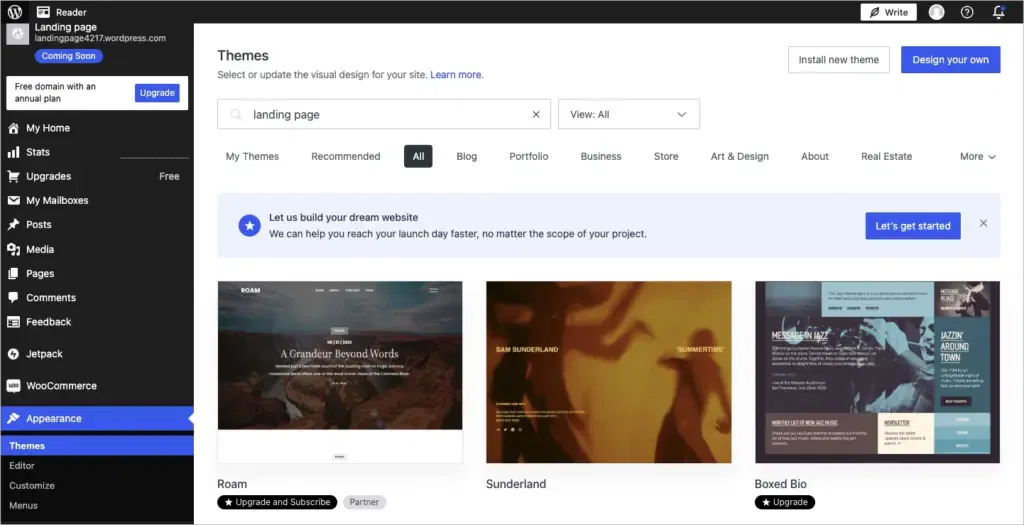
For even more specialized landing page features, consider these dedicated plugins:
Top Landing Page Plugins for WordPress
- OptimizePress: Comprehensive landing page builder with marketing features
- Thrive Architect: Conversion-focused page builder with templates
- Leadpages: SaaS platform with WordPress integration
- SeedProd: Popular landing page builder with growing features
- Instapage: Enterprise-level landing page platform with WordPress connector
Implementation Process with SeedProd
SeedProd is one of the most user-friendly dedicated landing page plugins:
- Installation:
- Purchase and download SeedProd
- Upload and activate the plugin
- Enter your license key
- Creating a Landing Page:
- Go to SeedProd → Landing Pages → Add New
- Select a purpose (lead squeeze, sales, webinar, etc.)
- Choose a template
- Name your page and click “Create Landing Page”
- Customization:
- Use the visual editor to customize all elements
- Add blocks from the left sidebar
- Configure page settings, including SEO and analytics
- Set up form integrations with email marketing services
- Implement A/B testing for optimization
- Advanced Features:
- Email marketing integration with Integrating Constant Contact API with WordPress and other services
- Countdown timers for urgency
- Giveaway and contest functionality with WordPress Competition Plugins
- Custom domains for landing pages
- Access controls and subscriber management
Theme-Based Landing Page Creation
Many WordPress themes include landing page templates or capabilities:
Themes with Strong Landing Page Features
- Divi Theme: Complete theme with built-in page builder and landing page templates
- Astra: Lightweight theme with landing page templates and Elementor integration
- GeneratePress: Performance-focused theme with flexible landing page options
- OceanWP: Versatile theme with dedicated landing page extensions
- Avada: Multi-purpose theme with extensive landing page templates
Using Theme Landing Page Templates
If your theme includes landing page templates:
- Go to Pages → Add New
- Look for a “Template” dropdown in the page attributes section
- Select “Landing Page” or similar template option
- This typically removes headers, footers, and sidebars
- Use the theme’s customization options to build your content
- Some themes integrate with their own page builders for additional flexibility
For blog-focused themes, check Free WordPress Themes to find options with landing page capabilities.
Custom Landing Page Development
For developers or those seeking complete control, custom development offers unlimited possibilities:
Creating a Custom Page Template
For a completely custom landing page template:
- Create a new file in your child theme (e.g.,
page-landing.php) - Add the template header:
<?php
/**
 * Template Name: Custom Landing Page
 */
- Add minimal structure without headers and footers:
<!DOCTYPE html>
<html <?php language_attributes(); ?>>
<head>
    <meta charset="<?php bloginfo('charset'); ?>">
    <meta name="viewport" content="width=device-width, initial-scale=1">
    <?php wp_head(); ?>
</head>
<body <?php body_class(); ?>>
    <div class="landing-page-container">
        <main class="landing-page-content">
            <?php
            while (have_posts()) :
                the_post();
                the_content();
            endwhile;
            ?>
        </main>
    </div>
    <?php wp_footer(); ?>
</body>
</html>
- Add custom CSS for your landing page template
- Apply this template to your landing page from the page attributes section
For more on custom templates, see How to Create a Child Theme in WordPress.
Custom Blocks and Gutenberg Approach
For those using the block editor (Gutenberg):
- Create custom blocks for landing page elements
- Build reusable block patterns for common landing page sections
- Use full-width and cover blocks for hero sections
- Implement custom CSS for specialized styling
- Consider block-specific plugins to extend functionality
Landing Page Optimization Best Practices
Creating the page is just the beginning—optimization is key to conversion success:
Design Optimization
Enhance visual appeal and usability:
- Visual Hierarchy: Guide the eye to important elements
- White Space: Use ample spacing for readability
- Color Psychology: Use colors strategically for emotional impact
- Typography: Select readable fonts that match your brand
- Image Optimization: Follow How to Optimize Images for WordPress for better performance
Conversion Rate Optimization (CRO)
Maximize your landing page’s effectiveness:
- Clear Value Proposition: Communicate benefits immediately
- Compelling CTAs: Use action-oriented, benefit-driven button text
- Reduce Friction: Remove unnecessary form fields and steps
- A/B Testing: Test headlines, images, CTAs, and form lengths
- Trust Signals: Add testimonials, security badges, and guarantees
- Urgency Elements: Add timers, limited offers, or scarcity indicators
- Mobile Optimization: Ensure perfect functionality on all devices
Performance Optimization
Speed is critical for landing page success:
- Image Compression: Optimize all visual elements
- Minimal Scripts: Only include essential JavaScript
- Caching Implementation: Use Best WordPress Cache Plugins for better performance
- Hosting Quality: Consider Flywheel WordPress Hosting for reliable performance
- Lazy Loading: Implement for images and videos
- Critical CSS: Prioritize above-the-fold styling
- Font Optimization: Limit font variations and weights
For comprehensive speed improvements, follow our WordPress Page Speed Optimization guide.
SEO Optimization
While landing pages are often for direct traffic, SEO still matters:
- Targeted Keywords: Include relevant terms naturally
- Proper Heading Structure: Use H1, H2, H3 tags logically
- Meta Tags: Customize title and description
- Image Alt Text: Add descriptive alternative text
- Mobile Friendliness: Ensure responsive design
- Page Speed: Optimize loading times
- URL Structure: Create clean, descriptive URLs
- Schema Markup: Add appropriate structured data
Avoid common SEO issues by implementing How to Fix Duplicate Title Tags recommendations.
Integrating with Marketing Systems
Connect your landing page with your broader marketing ecosystem:
Email Marketing Integration
Capture and nurture leads:
- Connect forms to your email marketing platform
- Set up autoresponder sequences for form submissions
- Segment leads based on landing page source
- Implement double opt-in for better list quality
- Create thank you pages with next steps
For email integration, explore Integrating Constant Contact API with WordPress techniques.
CRM Integration
Manage leads effectively:
- Connect forms to your CRM system
- Capture UTM parameters for traffic source data
- Set up lead scoring based on form field data
- Trigger sales notifications for high-value leads
- Create automated follow-up tasks
Payment Processing
For landing pages selling products or services:
- Implement secure payment forms
- Connect with Payment Gateways for WordPress Websites
- Create clear order confirmation pages
- Set up abandoned cart recovery
- Implement upsell opportunities after purchase
For e-commerce landing pages, review How to create an online store with WordPress for additional guidance.
Landing Page Security Considerations
Protect your landing page and visitor data:
Essential Security Measures
Implement these protections:
- SSL Certificate: Secure visitor data with How to add SSL to WordPress
- Form Validation: Prevent malicious inputs
- Anti-Spam Measures: Implement CAPTCHA or honeypot fields
- Regular Updates: Keep WordPress, themes, and plugins current
- Data Protection: Follow privacy regulations for collected information
- Secure Hosting: Choose reputable hosting providers
For comprehensive protection, follow our WordPress Security Best Practices.
Landing Page Types for Specific Industries
Different businesses need specialized landing page approaches:
E-commerce Landing Pages
For online stores and product sales:
- Product Launch Pages: Building anticipation for new releases
- Promotion Pages: Highlighting special offers and discounts
- Category Landing Pages: Focused on specific product categories
- Comparison Pages: Showcasing product differences and benefits
- Bundle Offer Pages: Promoting product combinations
Implement with E-commerce WordPress solutions for best results.
Service Business Landing Pages
For professional service providers:
- Service-Specific Pages: Highlighting individual service offerings
- Consultation Booking Pages: Scheduling initial consultations
- Case Study Pages: Showcasing successful client outcomes
- Free Assessment Pages: Offering value-based lead magnets
- Pricing Pages: Clear service pricing and packages
Real Estate Landing Pages
For property marketing:
- Property Listing Pages: Showcasing specific properties
- Home Valuation Pages: Offering free property valuations
- Neighborhood Guide Pages: Highlighting location benefits
- Open House Registration Pages: Collecting visitor information
- First-Time Buyer Pages: Educational content with lead capture
Consider Best Architecture WordPress Themes for real estate and property landing pages.
SaaS and Technology Landing Pages
For software and tech products:
- Free Trial Pages: Promoting no-risk product testing
- Demo Request Pages: Scheduling personalized demonstrations
- Feature Highlight Pages: Showcasing specific capabilities
- Pricing Tier Pages: Comparing service levels
- Integration Partner Pages: Highlighting compatibility
Case Studies: Successful WordPress Landing Pages
Let’s examine some real-world examples of effective landing pages:
Case Study 1: SaaS Lead Generation Page
Objective: Generate free trial signups for a project management tool
Key Implementation Features:
- Hero section with benefit-focused headline and embedded demo video
- Three-step process visualization with icons
- Integrated testimonials from recognizable companies
- Simple email-only signup form with “Start Free Trial” CTA
- FAQ accordion section addressing common objections
- Mobile-first design with simplified navigation
Results:
- 24% conversion rate (visitor to free trial)
- 40% reduction in cost per acquisition
- 35% increase in qualified leads
- Significant improvement in mobile conversions
Key Takeaway: Simplifying the form to email-only dramatically increased conversion rates, with additional information collected after the initial signup.
Case Study 2: Service Business Consultation Page
Objective: Book strategy consultations for a marketing agency
Key Implementation Features:
- Problem-agitation-solution copy framework
- Before/after client results with specific metrics
- Video testimonials from satisfied clients
- Calendar integration for direct appointment booking
- Social proof section with client logos and industry awards
- Multi-step form reducing perceived complexity
Results:
- 18% consultation booking rate
- 65% increase in qualified consultation requests
- 45% reduction in no-shows due to better qualification
- Higher average project value from converted leads
Key Takeaway: The calendar integration allowing immediate appointment scheduling significantly increased conversions compared to traditional contact forms.
Case Study 3: E-commerce Product Launch Page
Objective: Pre-orders for a new physical product
Key Implementation Features:
- Countdown timer creating urgency
- High-quality product images from multiple angles
- Embedded product demonstration video
- Early-bird pricing with tiered rewards
- Social sharing incentives for broader reach
- Trust badges and security indicators near checkout
- Mobile payment optimization
Results:
- 32% conversion rate for email subscribers
- 8% conversion rate for cold traffic
- 40% of customers chose higher-tier packages
- Significant social sharing leading to viral reach
Key Takeaway: The tiered pricing structure with clearly differentiated benefits drove customers to higher-value purchases than anticipated.
Troubleshooting Common Landing Page Issues
Even well-designed landing pages can encounter problems:
Design and Layout Problems
When your page doesn’t look right:
- Responsive Design Issues: Test and adjust for all screen sizes
- Image Sizing Problems: Set proper dimensions and constraints
- Font Inconsistencies: Verify typography settings across sections
- Spacing Irregularities: Check padding and margin settings
- Color Discrepancies: Ensure brand color consistency
Form Submission Errors
When leads aren’t being captured:
- Form Configuration: Verify all fields and settings
- Email Delivery Issues: Test notification emails
- Integration Problems: Check API connections and credentials
- CAPTCHA Malfunctions: Test and reconfigure anti-spam measures
- Submission Handling Errors: Verify thank you page redirects
Performance and Loading Issues
When your page loads slowly:
- Image Optimization: Compress and properly size all images
- Script Bloat: Remove unnecessary JavaScript
- Plugin Conflicts: Identify and resolve plugin issues
- Hosting Limitations: Consider upgrading hosting resources
- Caching Configuration: Optimize caching settings
For more troubleshooting assistance, see 15 Easy Fixes for Common WordPress Issues or How to Fix the WordPress White Screen of Death if you encounter critical errors.
Advanced Landing Page Techniques
For experienced users looking to maximize results:
Dynamic Content Personalization
Customize content based on visitor attributes:
- UTM Parameter Customization: Show different content based on traffic source
- Geographic Personalization: Adapt content to visitor location
- Returning Visitor Recognition: Show different content to repeat visitors
- Behavioral Targeting: Customize based on previous interactions
- A/B Testing Automation: Algorithmically optimize for best performance
Conversion Rate Optimization Tools
Implement specialized optimization tools:
- Heat Mapping: Visualize where visitors click and focus
- Session Recording: Watch actual visitor interactions
- Funnel Analysis: Identify drop-off points in your conversion process
- Split Testing Platforms: Systematically test page variations
- User Feedback Tools: Collect direct visitor input
Progressive Web App Techniques
Enhance user experience with PWA features:
- Offline Functionality: Allow form data storage when offline
- Push Notifications: Re-engage visitors after they leave
- App-Like Experience: Create immersive, application-like interfaces
- Installation Capability: Allow “adding to home screen”
- Performance Optimization: Instant loading for return visitors
Conclusion: Creating Landing Pages That Convert
Creating effective landing pages in WordPress is both an art and a science. The technical implementation—whether through page builders, dedicated plugins, or custom development—provides the foundation, but conversion success comes from understanding your audience, crafting compelling offers, and continuously optimizing based on data.
Remember that landing pages are never truly “finished.” They should evolve based on user behavior, testing results, and changing business needs. Implement analytics, conduct regular A/B tests, and refine your approach to continuously improve conversion rates.
For most WordPress users, page builders like Elementor or Divi offer the best balance of flexibility, ease of use, and performance for creating landing pages. They provide the visual editing capabilities and pre-designed templates to get started quickly while allowing for customization as your skills advance.
If you need assistance creating high-converting landing pages for your WordPress site, our team at Jackober specializes in conversion-focused WordPress development. As a WordPress Expert for Hire, I can help you design and implement landing pages that achieve your specific business objectives.
FAQ: WordPress Landing Pages
Q: Do I need a special theme to create landing pages in WordPress?
A: No, you don’t necessarily need a special theme, though some themes do offer better landing page support than others. The most flexible approach is using a page builder plugin like those covered in Best WordPress Page Builders, which works with virtually any theme. These page builders typically include options to create full-width, header/footer-free layouts ideal for landing pages. If you’re creating many landing pages, you might consider themes with built-in landing page templates like Divi, Astra Pro, or OceanWP. Alternatively, dedicated landing page plugins like SeedProd or Thrive Architect can work alongside your existing theme. What matters most is the ability to create distraction-free pages with conversion-focused layouts.
Q: How do I remove the navigation menu from my landing page?
A: There are several ways to remove navigation from landing pages: 1) If using a page builder like Elementor, select the “Elementor Canvas” template which removes all theme elements including headers and footers, 2) With many themes, select a “Landing Page” template from the Page Attributes section, 3) Use a dedicated landing page plugin which typically creates clean, navigation-free pages by default, 4) Add custom CSS to hide the navigation for specific pages, or 5) Create a custom page template without including the get_header() and get_footer() functions. The goal is to remove distractions that might lead visitors away from your conversion goal, though some landing pages do benefit from minimal navigation, especially for brand recognition purposes.
Q: What’s the difference between a landing page and a regular WordPress page?
A: The key differences are purpose and design: Landing pages are singularly focused on conversion with one clear call-to-action, while regular pages serve informational purposes with multiple navigation options. Landing pages typically remove site navigation, sidebars, and footers to eliminate distractions, whereas regular pages maintain these elements for site-wide consistency. Landing pages are often standalone with minimal links to other content, while regular pages are integrated into your site’s information architecture. From a technical perspective, landing pages often use specialized templates or builders optimized for conversion, while regular pages use standard theme templates. Landing pages also typically have more rigorous tracking and analytics to measure conversion performance.
Q: How can I track the performance of my landing page?
A: Implement these tracking mechanisms: 1) Set up Google Analytics using How to Add Google Analytics 4 to WordPress and create goals for form submissions or button clicks, 2) Use Google Tag Manager to track specific user interactions like form field completion or video views, 3) Implement heat mapping tools like Hotjar or Crazy Egg to visualize user behavior, 4) Set up conversion tracking in your advertising platforms (Facebook Pixel, Google Ads) if driving paid traffic, 5) Use A/B testing tools to compare different versions, and 6) Track form submissions through your form plugin or CRM. For comprehensive analysis, combine quantitative data (conversion rates, bounce rates) with qualitative insights (session recordings, user feedback) to understand both what is happening and why.
Q: Do landing pages help with SEO?
A: Landing pages can contribute to SEO, though their primary purpose is usually conversion rather than organic ranking. For SEO value: 1) Create content-rich landing pages targeting specific keywords relevant to your offer, 2) Ensure proper technical SEO including optimized meta titles, descriptions, and heading structure, 3) Maintain good page speed and mobile responsiveness which are ranking factors, 4) Include schema markup appropriate to your offer type, and 5) Build quality backlinks to your landing pages when appropriate. Some landing pages, particularly those for evergreen offers or specific product categories, can rank well for relevant search terms. However, many campaign-specific landing pages for ads or email marketing may be deliberately excluded from search indexing to maintain tracking accuracy and campaign cohesion.
Q: Can I use the same landing page for different marketing campaigns?
A: While you can use the same landing page for multiple campaigns, it’s not usually the best practice for maximizing conversions. Instead, consider: 1) Creating campaign-specific variants with messaging that matches each traffic source, 2) Using dynamic text replacement to automatically customize headlines based on search terms or ad copy, 3) Implementing different tracking parameters (UTM codes) to measure performance by source, even if using the same base page, 4) A/B testing different versions to see which performs best for each audience segment, and 5) Using a landing page plugin that facilitates easy duplication and modification of pages. The more aligned your landing page is with the specific expectations and needs of each traffic source, the better your conversion rates will typically be. For high-volume campaigns, even small conversion improvements from targeted landing pages can significantly impact ROI.
Q: How long should my landing page be?
A: The optimal length depends on your offer complexity and buying cycle: 1) For simple offers with low commitment (email signup, free download), shorter pages with minimal scrolling often work best, 2) For higher-priced products or services requiring more consideration, longer pages addressing multiple questions and objections typically perform better, 3) For technical or B2B offerings, comprehensive pages with detailed information usually outperform brief pages, 4) Test different lengths with your specific audience.